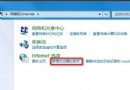
Windows 7 內建「備份和還原」功能強大易用,已可取代 Ghost、還原精靈等第三方工具,無需額外光碟或 USB 開機碟。
優勢
- 操作介面圖形化,中文環境下按提示「下一步」即可完成系統映像建立,門檻極低。
- 還原過程同樣簡單,支援裸機恢復(Bare Metal Recovery)。
- 整合於系統,無需額外安裝、維護第三方軟體。
建立系統映像步驟
- 「開始」→「所有程式」→「維護」→「備份和還原」。
- 左側選擇「建立系統映像」。
- 依嚮導選擇備份目的地(硬碟、光碟、網路位置)、要備份的磁碟機,確認後開始備份。
建議定期建立系統映像,遇到系統毀損可快速還原,省時省力。