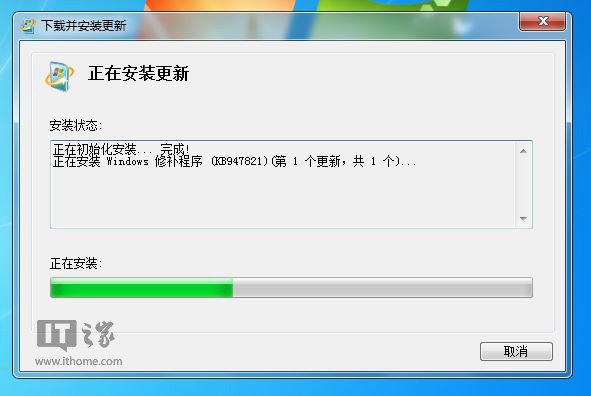
Windows 7 更新失敗常見於更新元件損壞、系統檔案遺漏、網路環境等。微軟提供 系統更新備妥工具 可自動修復更新堆疊,本文整理常見錯誤代碼與修復流程。
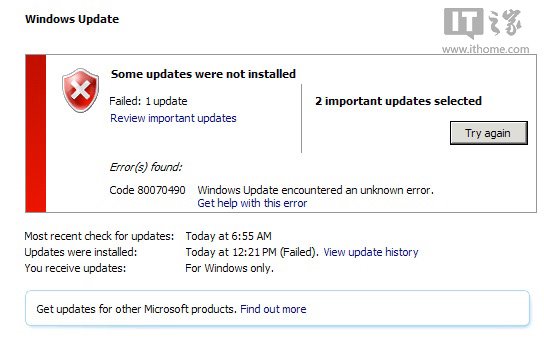
0x80070002 0x8007000D 0x800F081F 0x800737120x800736CC 0x800705B9 0x80070246 0x8007370D0x8007370B 0x8007370A 0x80070057 0x800B01000x80092003 0x800B0101 0x8007371B 0x80070490
以上代碼通常代表 CBS (Component-Based Servicing) 存儲損壞、資訊清單遺漏、檔案雜湊不符,手動修復極困難,官方工具最有效。
net stop wuauserv
net stop bits
net stop cryptsvc
ren %systemroot%\SoftwareDistribution SoftwareDistribution.old
ren %systemroot%\System32\catroot2 catroot2.old
net start wuauserv
net start bits
net start cryptsvc
(重設更新元件、軟體分發資料夾、憑證存儲)
sfc /scannow
DISM /Online /Cleanup-Image /ScanHealth
DISM /Online /Cleanup-Image /RestoreHealth
(需 Windows 7 SP1 且安裝 DISM,或用安裝媒體作為來源)
%Windows%\Logs\CBS\CBS.log:元件存儲詳細記錄。%Windows%\WindowsUpdate.log(Win7 為 ETW 格式,需 Get-WindowsUpdateLog PowerShell 指令轉換)。