Windows XP Windows 7 Windows 2003 Windows Vista Windows 綜合教學 Linux 系統教學
Windows 10 Windows 8 Windows 2008 Windows NT Windows Server 電腦軟體教學

Win7 hosts 檔案位置與修改權限問題完整解決指南

編輯:Windows 7 系統介紹

hosts 檔案位置

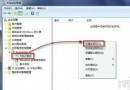
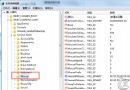
Windows 7(含 XP)的 hosts 檔案均位於:
C:\Windows\System32\drivers\etc\hosts
無法修改 hosts 的常見原因與解法

原因:權限不足

Win7 為安全考量,預設禁止直接修改 hosts。解決方法:

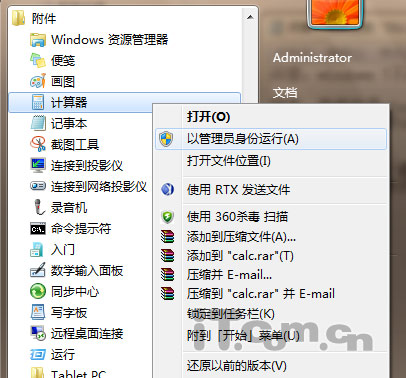
  1. 在「開始」搜尋「記事本」
  2. 右鍵選擇「以系統管理員身分執行」
  3. 在記事本中開啟 C:\Windows\System32\drivers\etc\hosts
  4. 編輯後即可正常儲存

以管理員身分執行記事本

hosts 實用範例:封鎖廣告與惡意網域

# 封鎖迅雷看看廣告
0.0.0.0 pubstat.sandai.net
0.0.0.0 mcfg.sandai.net
0.0.0.0 biz5.sandai.net
0.0.0.0 float.sandai.net
0.0.0.0 recommend.xunlei.com
0.0.0.0 cl.kankan.xunlei.com
0.0.0.0 www.7k7k.com

瀏覽器被綁架?檢查 hosts 檔案

若瀏覽器首頁被強制修改、網頁跳轉異常,請以管理員身分開啟 hosts,刪除可疑的 IP 與網域對應行,即可恢復正常。

小結

  • hosts 位置固定:C:\Windows\System32\drivers\etc\hosts
  • 修改必須「以系統管理員身分執行記事本」
  • 善用 hosts 可封鎖廣告、惡意網站、加速特定網域解析
Copyright © Windows教程網 All Rights Reserved