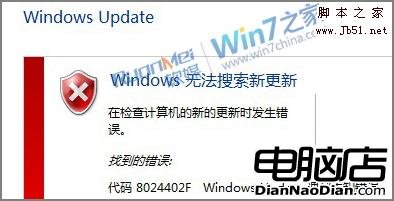
Win 7 執行 Windows Update 出現 8024402F 未知錯誤,主因:網路擁塞、防火牆/安全軟體攔截、Cryptographic Services 服務或相關系統檔損壞。
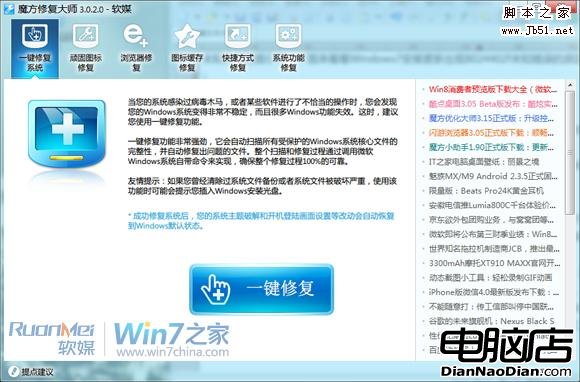
SFC /SCANNOW,或用魔方優化大師「一鍵修復系統功能」;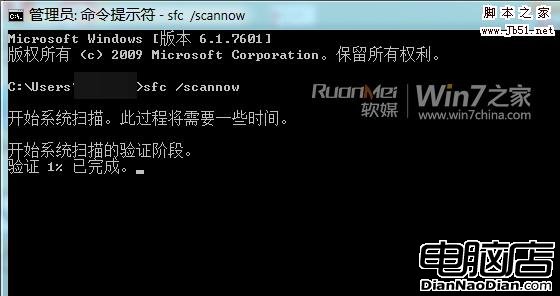
REGSVR32 C:\Windows\System32\CRYPTDLG.DLLREGSVR32 C:\Windows\System32\DSSENH.DLLREGSVR32 C:\Windows\System32\GPKCSP.DLLREGSVR32 C:\Windows\System32\INITPKI.DLLREGSVR32 C:\Windows\System32\MSSIP32.DLLREGSVR32 C:\Windows\System32\RSAENH.DLLREGSVR32 C:\Windows\System32\SCCBASE.DLLREGSVR32 C:\Windows\System32\SLBCSP.DLLREGSVR32 C:\Windows\System32\SOFTPUB.DLLREGSVR32 C:\Windows\System32\WINTRUST.DLL註冊.bat 以管理員執行)Regsvr32 /s C:\Windows\System32\CRYPTDLG.DLL
Regsvr32 /s C:\Windows\System32\DSSENH.DLL
Regsvr32 /s C:\Windows\System32\GPKCSP.DLL
Regsvr32 /s C:\Windows\System32\INITPKI.DLL
Regsvr32 /s C:\Windows\System32\MSSIP32.DLL
Regsvr32 /s C:\Windows\System32\RSAENH.DLL
Regsvr32 /s C:\Windows\System32\SCCBASE.DLL
Regsvr32 /s C:\Windows\System32\SLBCSP.DLL
Regsvr32 /s C:\Windows\System32\SOFTPUB.DLL
Regsvr32 /s C:\Windows\System32\WINTRUST.DLL
完成上述步驟,8024402F 錯誤通常即可解除。