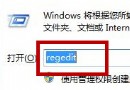
Windows 7 內建的「畫圖」適合簡單截圖編輯、裁剪、標註。以下提供兩種最快開啟方式。
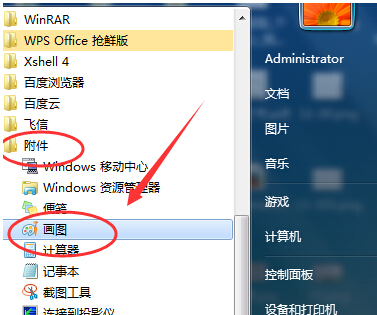
mspaint 按 Enter,畫圖工具即刻啟動。小技巧:若常用,可右鍵工作列畫圖圖示 → 「釘選到工作列」,或建立桌面捷徑(右鍵畫圖 → 「傳送到」→ 「桌面捷徑」)。
Win7 64位旗艦版 SSD 固態硬碟優化:SATA 3.0/4K 對齊/AHCI/TRIM/關閉系統還原/關閉索引六大招
Win7 開啟資料夾提示「引用了一個不可用的位置」:登錄表修復「我的文件」路徑
Windows 7 XP Mode 非安全沙箱:虛擬機內外均須安裝防毒軟體並修補
Windows 7 開機藍畫面 0x000000F4 排查與解決指南
關閉 Windows 7 Aero 透明特效與拖曳視窗透明框教學
微軟修改 Windows 7 瀏覽器選擇方案:歐盟版將內建五大瀏覽器隨機排序選單
Win7 實戰構建頂級安全平台:密碼登入、標準帳號、UAC、家長控制、AppLocker、BitLocker、BranchCache、DirectAccess