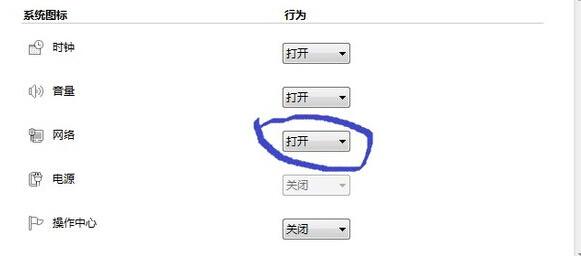
啟用後網路服務異常,修復步驟:
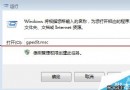
services.msc
Plug and Play
RPC 為核心服務不可停用,Plug and Play 影響裝置熱插拔偵測,兩者正常是網路服務運作基礎。
Win7 解除安裝權限不足以系統管理員身分執行解決
Win7 共用印表機錯誤 0x000006d9:必須啟用 Windows 防火牆服務
Win7 開始功能表深度探索:Jump List、釘選、搜尋、自訂、找回「執行」
Win7 區域網路共享印表機設定:啟用 Guest、共享印表機、連線測試
Superfetch 服務該不該關閉?實測分析:記憶體 ≥ 2GB 建議保留
Win7 記憶體不足彈視窗?三步驟釋放記憶體:結束佔用大戶、調整虛擬記憶體、加裝實體記憶體
如何加速 Windows 7 升級流程?企業級工具 MAP 與 ACT 全面輔助相容性檢測
Win7 開機選單移除多餘啟動項:msconfig 三步驟清理