操作步驟
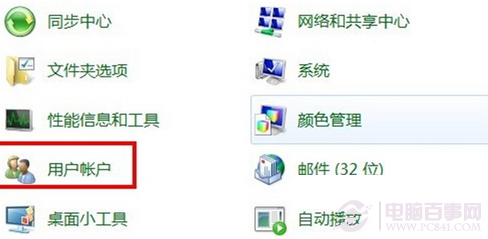
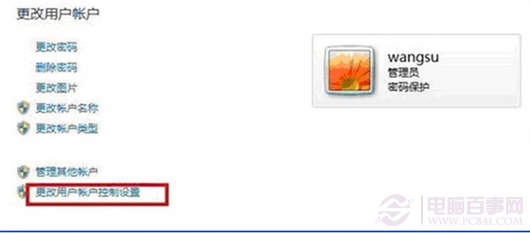
- 「控制台」→ 「使用者帳戶」。
- 左側 「變更使用者帳戶控制設定」 (注意:此處非變更密碼)。
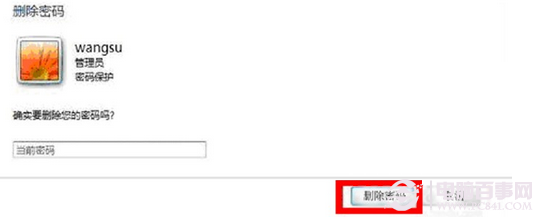
- 點選 「刪除密碼」 按鈕 (位於「變更您的密碼」區域下方)。
- 輸入目前密碼確認 → 「確定」,密碼移除完成。
效果與風險
- 下次開機直接進入桌面,無需輸入密碼。
- 風險:任何人有實體存取權即可登入,不建議筆電、共用電腦、含機密資料電腦使用。
- 需恢復密碼:同介面點選「建立密碼」重新設定。
替代方案:自動登入 (保留密碼但免輸入)
Win+R rundll32 netplwiz.dll,UsersRunDll → 取消勾選「使用者必須輸入使用者名稱和密碼」 → 輸入密碼確認。此法保留密碼 (網路共用、UAC 仍需密碼) 但開機自動登入,較刪除密碼安全。