Windows XP Windows 7 Windows 2003 Windows Vista Windows 綜合教學 Linux 系統教學
Windows 10 Windows 8 Windows 2008 Windows NT Windows Server 電腦軟體教學

Win7 32位 防止 USB 自動執行木馬三大對策:關閉 WebClient、禁用自動播放、隱藏快捷方式圖示

編輯:Windows 7 系統介紹

USB 木馬常利用 AutoRun.inf 與 LNK 漏洞自動執行。Win7 三層防護策略:

一、關閉 WebClient 服務

  1. Win+R → services.msc → 找到 WebClient → 停止並設「已停用」。
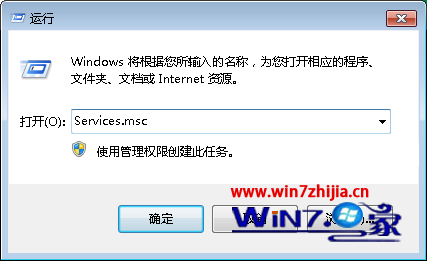
WebClient 服務
影響:WebDAV 請求無法傳輸,相依服務受影響。

二、群組原則禁用自動播放 (最有效)

  1. Win+R → gpedit.msc → 電腦設定 → 系統管理範本 → 系統 →「關閉自動播放」→ 已啟用 → 所有磁碟機。
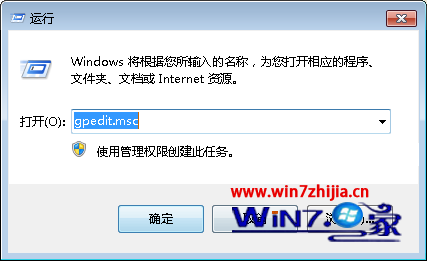
群組原則關閉自動播放

三、登錄表隱藏 LNK 快捷方式圖示 (防 LNK 漏洞)

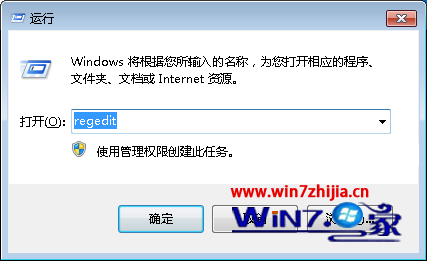
  1. Win+R → regedit → 定位 HKEY_CLASSES_ROOT\lnkfile\shellex\IconHandler → 右鍵匯出備份 → 刪除 IconHandler → 重啟 Explorer。
登錄表 IconHandler
副作用:桌面/開始選單所有快捷方式圖示變空白 (白紙)。權衡安全性與易用性,建議優先採用方案二 (禁用自動播放) 並保持防毒軟體即時掃描開啟。

Copyright © Windows教程網 All Rights Reserved