Windows XP Windows 7 Windows 2003 Windows Vista Windows 綜合教學 Linux 系統教學
Windows 10 Windows 8 Windows 2008 Windows NT Windows Server 電腦軟體教學

Win7 光碟機老是自動彈出?兩招解決:檢查開機啟動項、停用 Shell Hardware Detection 服務

編輯:Windows 7 系統介紹

原因分析

  • 惡意/垃圾軟體在啟動項放入「光碟機自動彈出/關閉」程式。
  • 系統服務 Shell Hardware Detection(自動播放硬體事件通知)誤判觸發彈出。

方法一:清理開機啟動項

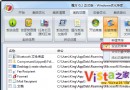
  1. 開啟 360 安全衛士/工作管理員/msconfig → 「啟動」頁籤。
  2. 找到名稱含「光碟機自動彈出」等可疑項 → 停用/刪除。

方法二:停用 Shell Hardware Detection 服務

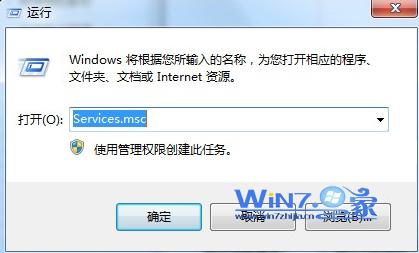
  1. Win + R → services.msc。
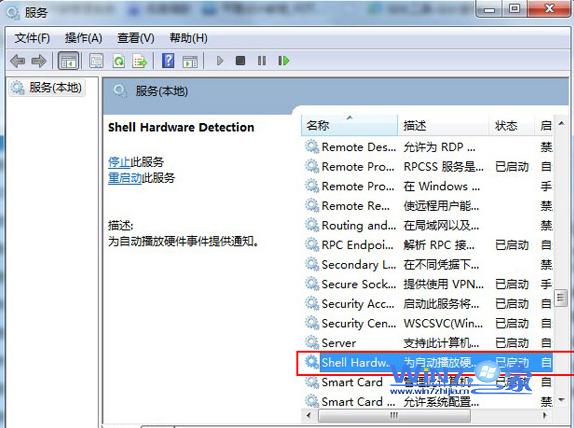
  2. 找到 Shell Hardware Detection → 雙擊。
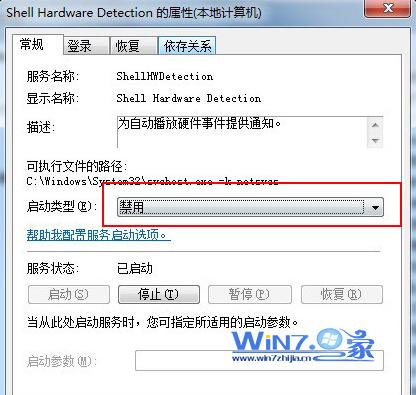
  3. 「啟動類型」改「停用」 → 「停止」按鈕 → 確定。

services.msc 開啟

Shell Hardware Detection 屬性

設為停用並停止

效果

光碟機不再鬼打牆自動彈出,手動按鍵彈出功能不受影響。

Copyright © Windows教程網 All Rights Reserved