方法一:手動修改 hosts 檔案(永久生效)
- 以系統管理員身分開啟記事本,開啟檔案:
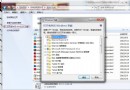
C:\Windows\System32\drivers\etc\hosts
- 若檔案為「唯讀」,先取消唯讀屬性(右鍵內容 → 取消勾選唯讀)。
- 在檔案末尾新增一行:
127.0.0.1 images.sohu.com
- 儲存關閉,重新啟動瀏覽器,搜狐視頻廣告即被封鎖。
方法二:使用廣告攔截軟體(簡單易用)
- 安裝 360 安全衛士 → 「加速球」 → 勾選「搜狐影音」相關程式 → 「一鍵加速」。
- 或安裝專用廣告攔截工具(如 AdGuard、uBlock Origin 瀏覽器擴充功能)。
原理說明
hosts 將廣告伺服器域名解析至本機回環位址 (127.0.0.1),導致廣告請求失敗;廣告攔截軟體則透過規則過濾網路請求與頁面元素。兩法可併用,效果更佳。