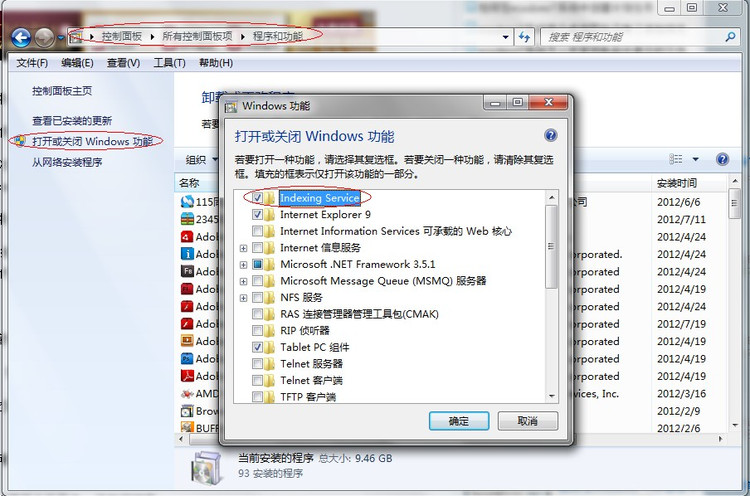
資料夾右上角搜尋框無反應/找不到檔案,通常是 Windows Search 服務未啟動或索引功能關閉。
解決 Windows 7 任務列 Chrome 圖示顯示異常(空白/錯誤圖示)
Win7 程式無法釘選到工作列?修復註冊表 IsShortcut 值解決
Win7無法保存共享賬戶密碼每次都要輸入?憑據管理器將持久性從「登錄會話」改為「企業」永久保存
如何在 Win7 旗艦版電腦中查看 localhost 的狀態?
Win7 清除多餘通知區域圖示:刪除登錄檔 IconStreams 並重啟 Explorer
Win7 更換滑鼠指標樣式:支援 .cur/.ani/.inf 格式完整教學
XP 系統也能穿上 Win7 外衣:SevenVGBlackRTM 主題安裝全紀錄
Windows 7 掛載 Virtual PC VHD 映像:主機與虛擬機檔案互通零障礙