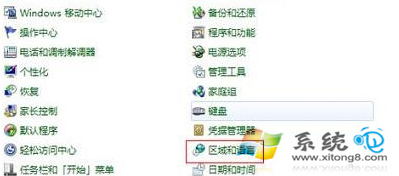
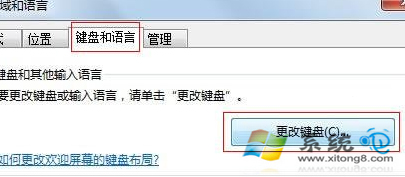
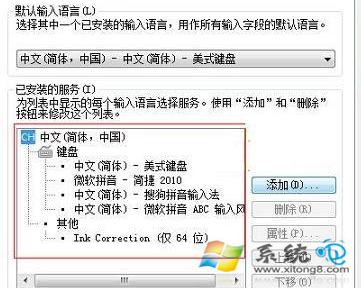
每次開機都要手動切換輸入法很煩?設定預設輸入法,登入桌面即為慣用輸入法,免去切換步驟。
設定完成後,新增使用者或重新登入時,預設即為所選輸入法。若列表中沒有想要的輸入法,請先至官網下載安裝再設定。
Win7 常見小問題與快速解決方案:截圖花屏、磁碟代號錯亂、找回「執行」對話框
Windows 7 隱藏快速鍵秘籍:Win+空白鍵透視桌面、Win+數字啟動程式等
Windows 7 各種安裝方法優缺點完整評測
Win7 32位 螢幕色彩校正 (DCCW):內建 Display Color Calibration 完整操作指南
Win7 ADSL 撥號設定完整圖文教學:建立連線、加速撥號、開機自動撥號、VBS 隱藏視窗
Win7 雙系統修改預設啟動順序:系統屬性→進階→啟動與故障恢復→預設作業系統
Win7 兩台電腦共享印表機完整設定教學
卸載 Windows 7 後如何移除開機選單?XP 用 fixboot、Vista/Win7 用 msconfig 或 bcdedit