系統還原點能在不重灌、不動資料前提下,將系統狀態倒退到建立時間點。安裝新驅動、修改登錄檔前,務必先手動建立還原點。
建立還原點步驟
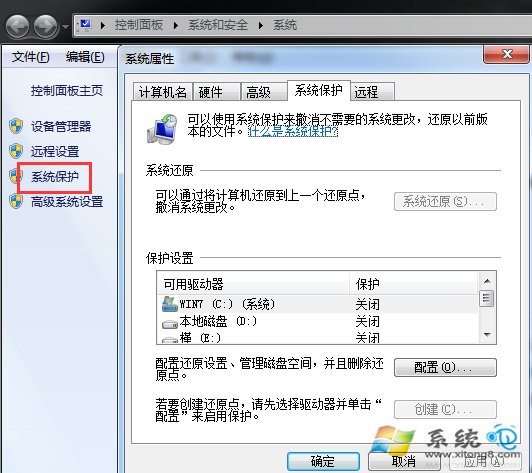
- 右鍵「電腦」→「內容」→ 左側「系統保護」。
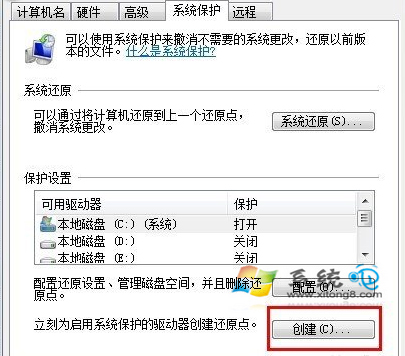
- 「系統保護」標籤 → 最下方「建立」。
- 輸入描述名稱 (建議含日期用途,如
20240115_安裝顯卡驅動前) →「建立」。

- 顯示「還原點建立成功」即完成。

善用建議
- Windows 會自動在重大更新、驅動安裝前建立,但手動建立更可靠。
- 還原點佔用磁碟空間,可在「系統保護」→「設定」調整最大使用空間 (建議 5-10%)。
- 遇到系統不穩,進安全模式選「系統還原」挑選此還原點即可復原。