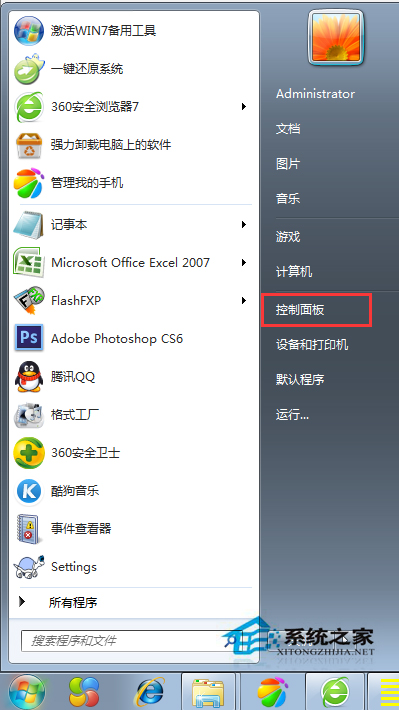
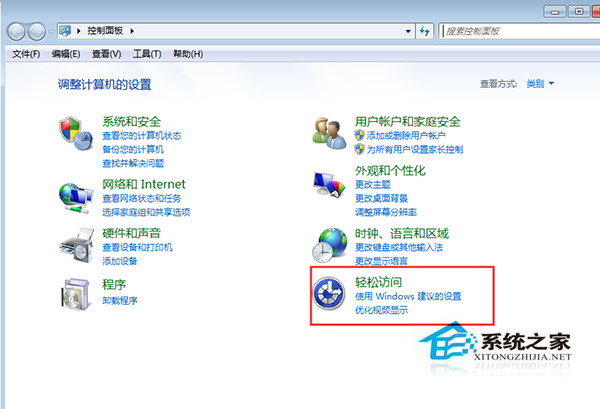
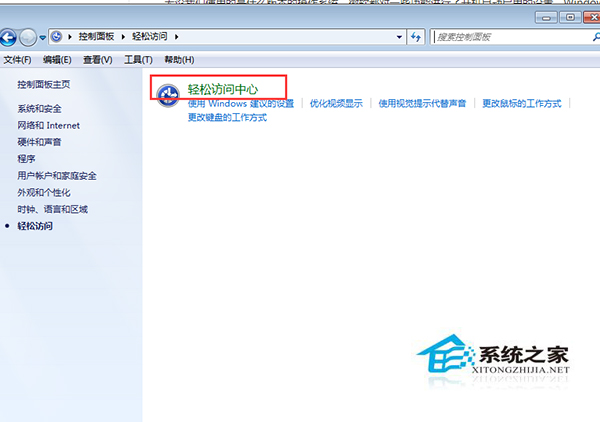
系統自動啟動放大鏡佔用資源,大多用不到。透過「輕鬆存取中心」關閉自啟。
善用 Windows 7 啟動修復功能解決無法開機問題
Win7 總管「收藏夾」消失/無法展開?三種修復方案
Windows 7 記憶體佔用高?8 招釋放 RAM 讓老電腦煥發新生
Win7 資源管理器按鍵盤就跳搜尋框?關閉「輸入時自動選取」恢復正常導航
Win7 清除「執行」視窗歷史記錄:任務列屬性與網際網路選項雙重清除
Win7 禁止遠端存取登錄表路徑 防止駭客透過遠端登錄操作竊改系統設定
Win7 安裝 Redis 完整教學:下載、解壓、啟動服務、CLI 測試全流程
Win7 資料夾屬性沒有「安全性」頁籤?關閉共用精靈並轉換 NTFS 修復