Redis 是高效能 key-value 記憶體資料庫,Windows 版本由社群維護 (官方僅支援 Linux)。Win7 下安裝 Redis 需下載對應架構版本、命令列啟動、驗證連線。
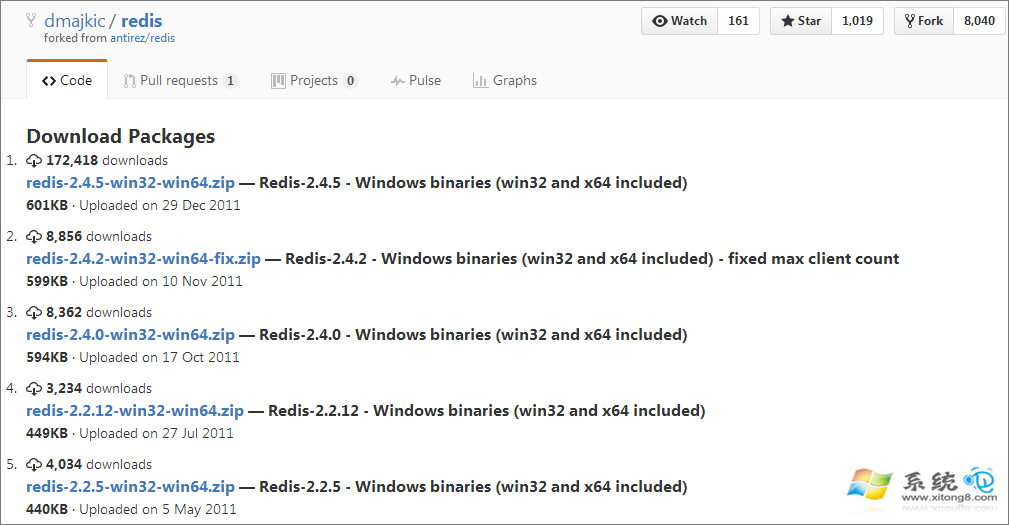
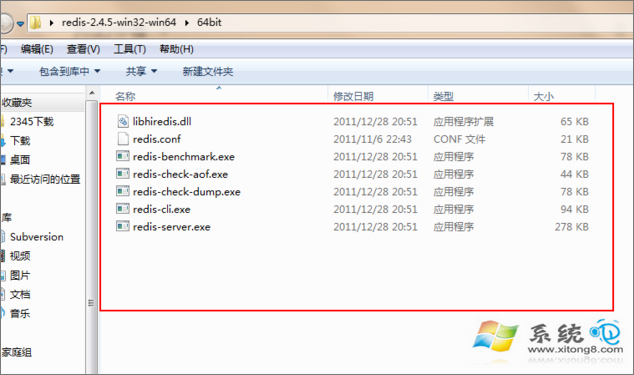
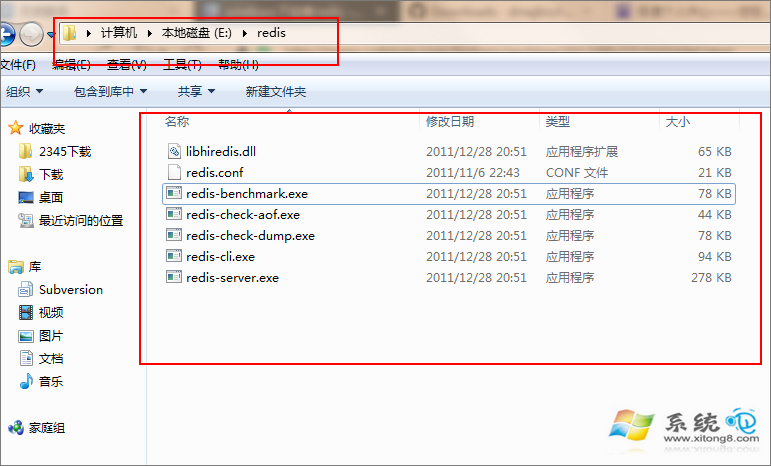
https://github.com/dmajkic/redis/downloads (或 https://github.com/tporadowski/redis/releases 更新版本)redis-<版本>-win32/64.zip 對應系統架構 (Win7 多為 64 位)。E:\redis\)。
3. 管理員 CMD 切換目錄:cd /d E:\redis
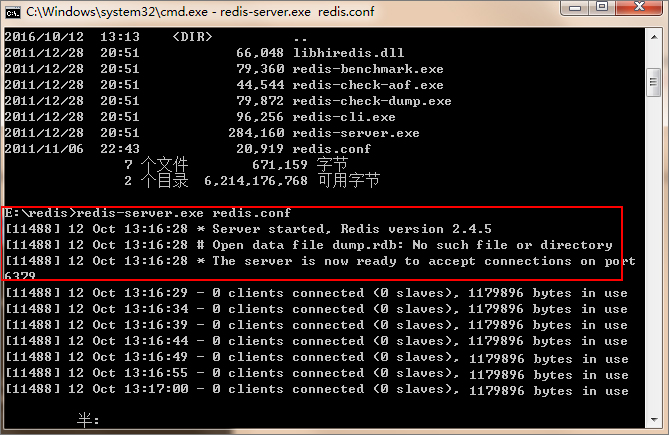
4. 啟動伺服器:redis-server.exe redis.confReady to accept connections 即成功 (預設埠 6379)。
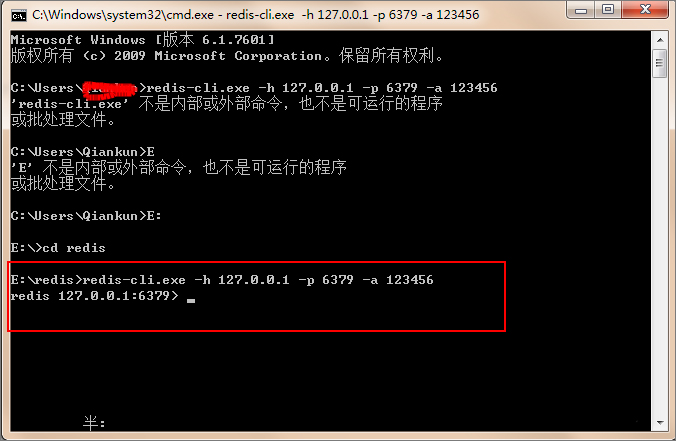
5. 新開 CMD 視窗測試客戶端:redis-cli.exe -h 127.0.0.1 -p 6379 -a 密碼 (無密碼省略 -a)127.0.0.1:6379> 即連線成功。
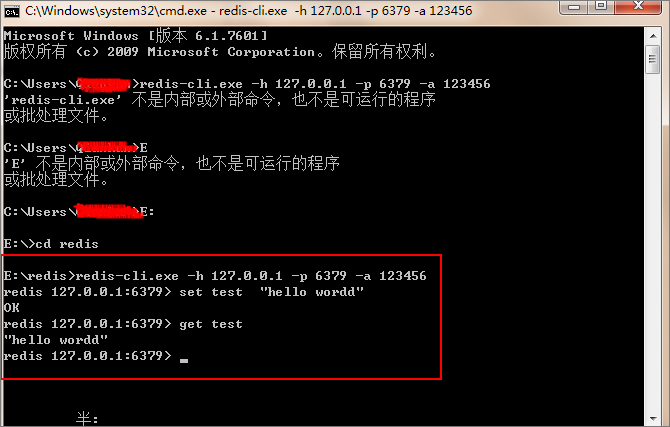
6. 功能測試:SET test "hello world" → GET test 回傳 "hello world"。

redis-server.exe --service-install redis.conf → redis-server.exe --service-start。redis.conf 中 requirepass your_strong_password。bind 127.0.0.1 僅本機存取,或指定內網 IP。INFO memory,防止 OOM。依循流程,Win7 可快速搭建 Redis 開發/測試環境。