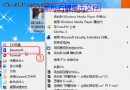
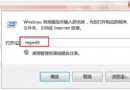
Windows 7 登入畫面預設顯示版本 Logo,可透過資源編輯工具 ResHacker 替換 basebrd.dll.mui 中的圖片資源為透明圖片,達到隱藏品牌資訊效果。
C:\Windows\Branding\Basebrd\zh-TW\basebrd.dll.mui (繁體中文系統路徑,簡體為 zh-CN) 複製至桌面備份。basebrd.dll.mui → 展開「Bitmap」→ 120 → 2052 (或對應語系 ID) → 右鍵「Replace Resource」→ 選取預備的 350×50 像素透明 BMP 圖片 → 同步替換 1120→2052、2120→2052 分支圖片 → 「File → Save」。basebrd.dll.mui → 「管理員取得所有權」。風險提示:修改系統核心資源檔可能導致系統檔案驗證失敗、Windows Update 異常,建議建立還原點或備份映像後再嘗試,純屬個人化美化需求。
Win7 關閉內建遊戲(纸牌、扫雷等)釋放資源:開啟/關閉 Windows 功能圖文教學
Win7 修改 IE 瀏覽器標題列文字:登錄新增 Window Title 字串值自訂簽名
Windows 7 五大安全增強關鍵技術:核心防護、IE8 安全、UAC 滑桿、免費防毒、行動中心
Win7 工作列跳出「無法連線 Windows 服務」?重置 Winsock 修復 System Event Notification Service
Windows 7 下先裝 SQL 2005 再裝 SQL 2000 正確連線設定完整教學
微軟首度揭露 Windows 7 SP1 新增功能與改進:Server 端獲 RemoteFX/動態記憶體,Client 端僅含累積更新與 RemoteFX 客戶端
Win7 開機提示 uxtheme.dll 丟失/錯誤 0xc000007b 完整修復教程:SFC 掃描 + 文件替換雙保險