Printdir.bat 放入 C:\Windows(需管理員權限):@echo off dir %1 /-p /o:gn > "%temp%\Listing" start /w notepad /p "%temp%\Listing" del "%temp%\Listing" exit
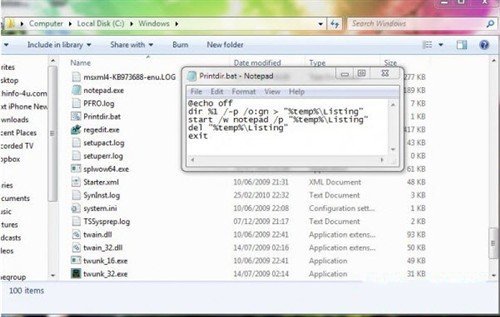
%APPDATA%\Microsoft\Windows\SendTo 開啟「傳送到」資料夾。%windir%\Printdir.bat → 命名「列印目錄清單」。完成後,右鍵任意資料夾 →「傳送到」→「列印目錄清單」即可自動開啟記事本列印該資料夾檔案清單。