Windows XP Windows 7 Windows 2003 Windows Vista Windows 綜合教學 Linux 系統教學
Windows 10 Windows 8 Windows 2008 Windows NT Windows Server 電腦軟體教學

Win7 透過群組原則釋放 20% QoS 預留頻寬?設定限制保留頻寬為 0% 提升網速

編輯:Windows 7 系統介紹

Windows 預設透過 QoS 封包排程器保留 20% 頻寬供高優先度流量。一般家用/辦公環境不需 QoS,可透過群組原則將「限制保留頻寬」設為 0%,讓網路速度發揮 100%。

設定步驟 (圖文)

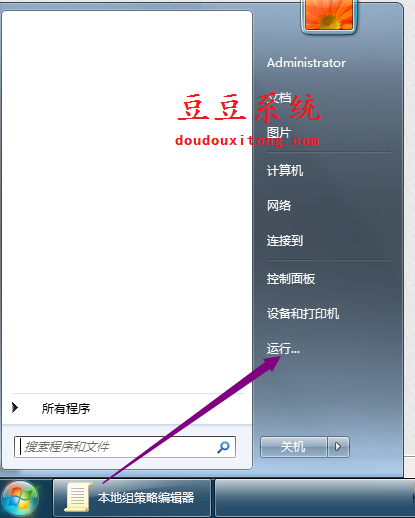
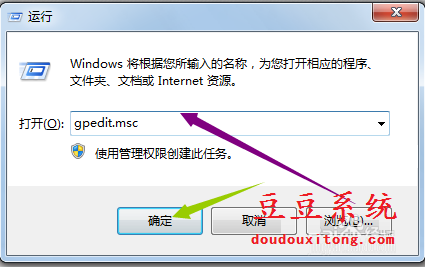
  1. 開始 → 「執行」。
  2. 執行

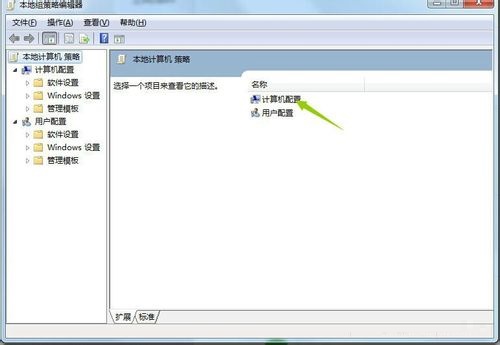
    2. 輸入 gpedit.msc → 確定。

    gpedit.msc

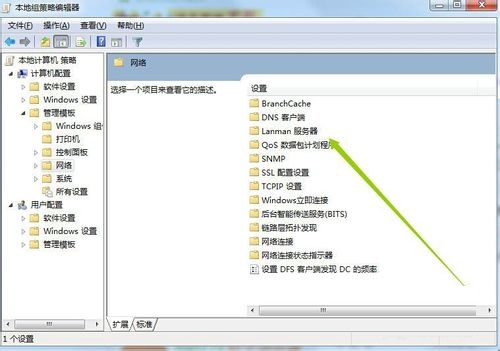
    3. 依序展開:
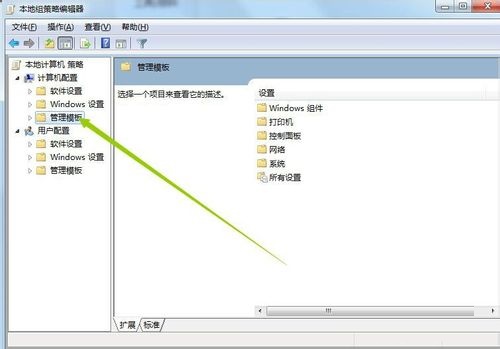
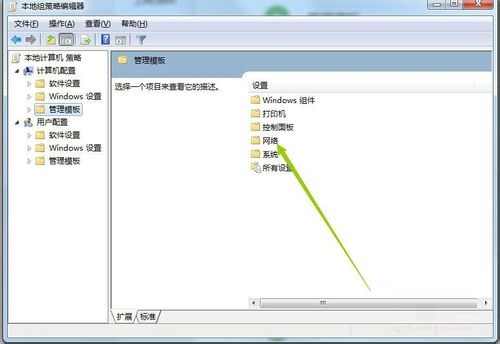
    電腦設定 → 系統管理範本 → 網路 → QoS 封包排程器 → 限制保留頻寬
    電腦設定

    管理範本

    網路

    QoS封包排程器

    限制保留頻寬

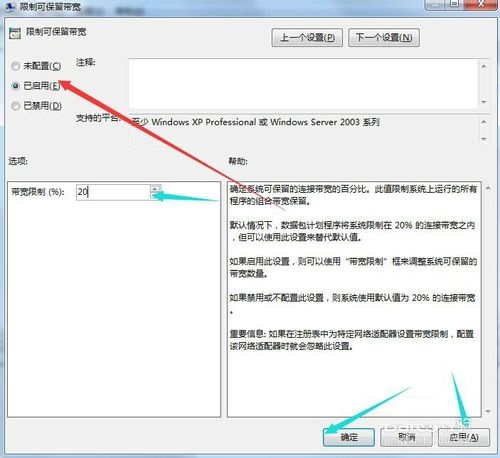
    4. 雙擊 → 「已啟用」→ 「頻寬限制 (%)」改為 0 → 「套用」→「確定」。

    設為0%

    完成設定

Home 版替代方案

註冊表:HKEY_LOCAL_MACHINE\SOFTWARE\Policies\Microsoft\Windows\Psched → 新增 DWORD NonBestEffortLimit = 0 → 重開機。

說明

  • 此設定針對「QoS 感知應用程式」的預留頻寬,不影響一般瀏覽、下載、影音串流。
  • 若環境有 VoIP、視訊會議等即時通訊需求,建議保留 10~15%。
Copyright © Windows教程網 All Rights Reserved