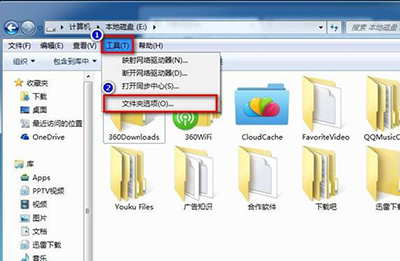
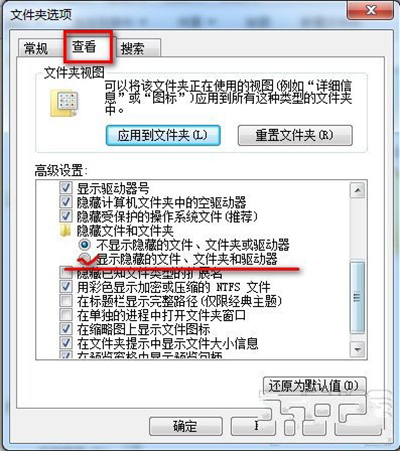
同介面可設定「隱藏受保護的作業系統檔案」(建議保持勾選)、「隱藏已知檔案類型的副檔名」等選項。
Windows 7 畫圖工具進階應用:調整圖片大小、局部縮放、畫布變更、傾斜特效完整教學
魔方電腦大師(Win7優化大師)完整安裝與功能圖文教學
Windows 7 工作列通知區域圖示顯示/隱藏完整設定教學
Win7 瀏覽器網頁出現亂碼怎麼辦?編碼自動偵測修正法
Windows 7 RC 十大新發現:Aero Peek 增強、超級工作列 Shift 右鍵、桌面圖示切換、XP 模式、觸控支援
在 Win7/XP/Linux/Mac 上用 VirtualBox 跑 Android 4.0 (ICS) 虛擬機,零成本體驗安卓系統
Win7 開始選單搜尋:秒找檔案、程式、文字內容
Windows 7 內建 CPU 偵錶小工具:即時監控處理器使用率