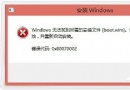
Win10 開機進入桌面卻黑屏只有鼠標箭頭,典型癥狀:explorer.exe 未正常啟動或註冊表 Shell 值被篡改。雙管齊下修復:
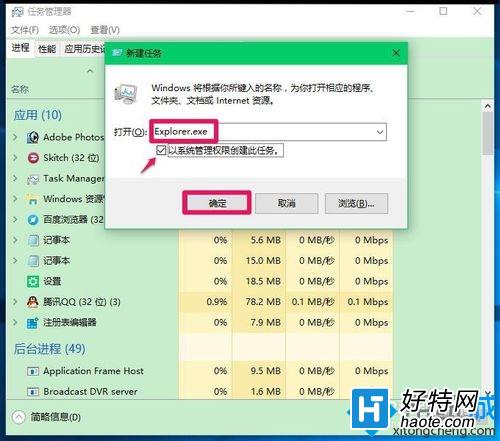
explorer.exe → 勾選「以系統管理員權限創建」 → 確定

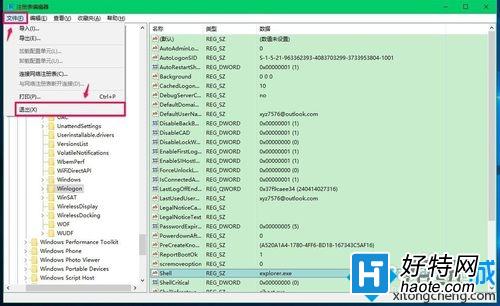
regeditHKEY_LOCAL_MACHINE\SOFTWARE\Microsoft\Windows NT\CurrentVersion\WinlogonShell 值:應為 explorer.exe,若包含其他字符(如病毒掛載路徑)刪除多餘內容,僅保留 explorer.exe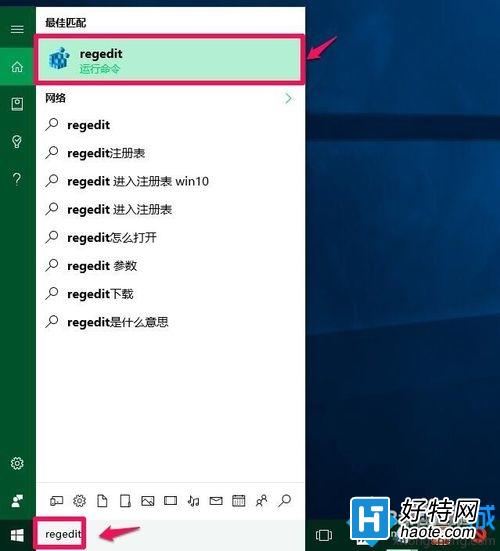
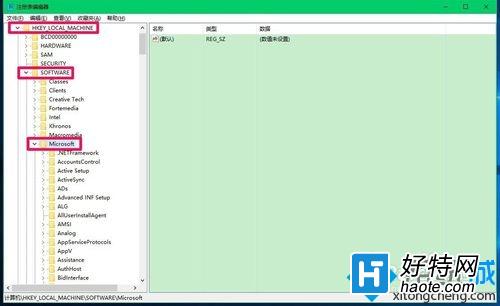
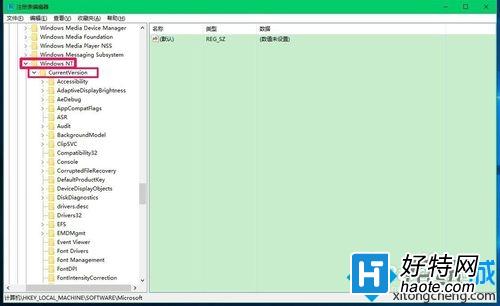
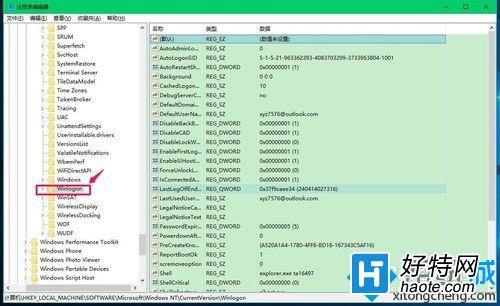
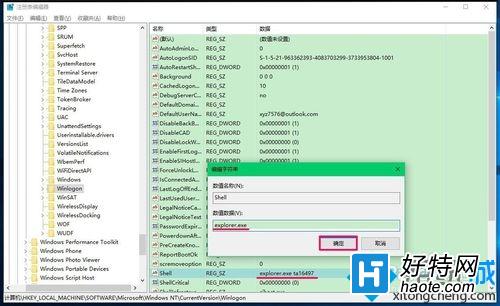
Windows Registry Editor Version 5.00
[HKEY_LOCAL_MACHINE\SOFTWARE\Microsoft\Windows NT\CurrentVersion\Winlogon]
"Shell"="explorer.exe"
保存為 fix_shell.reg 雙擊導入。修復後重啟驗證。若仍黑屏,嘗試 sfc /scannow 修復系統文件或排查第三方啟動項。