Win10 預設主題帶毛玻璃效果,若偏好深色介面,可匯入自訂 .theme 檔案啟用暗黑主題。
- 新建文字檔,貼上完整主題定義碼(含 Theme、Control Panel\Desktop、VisualStyles、MasterThemeSelector、Control Panel\Colors 等區段)。
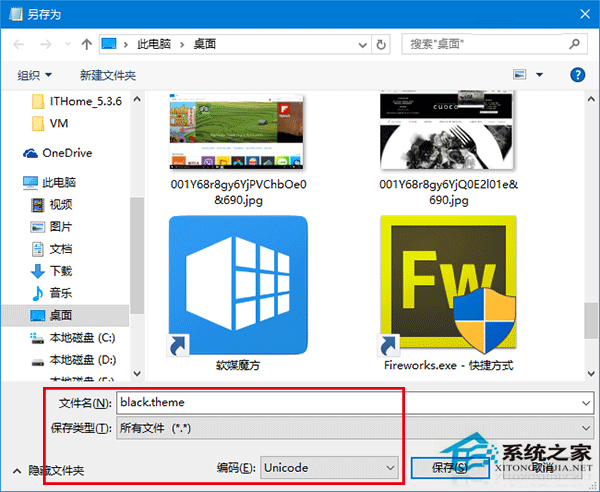
- 另存為
AllDarkEveV2.theme,編碼選 Unicode,類型「所有檔案」。
- 放置至:
C:\Users\(使用者名稱)\AppData\Local\Microsoft\Windows\Themes
- 雙擊套用;若卡在「請稍候」,按 Ctrl+Alt+Del → 「鎖定」→ 解鎖即可恢復,或在個人化 → 主題中選擇 AllDarkEveV2 套用。
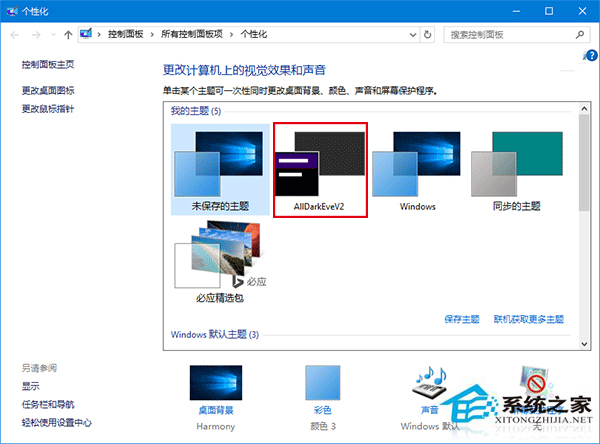
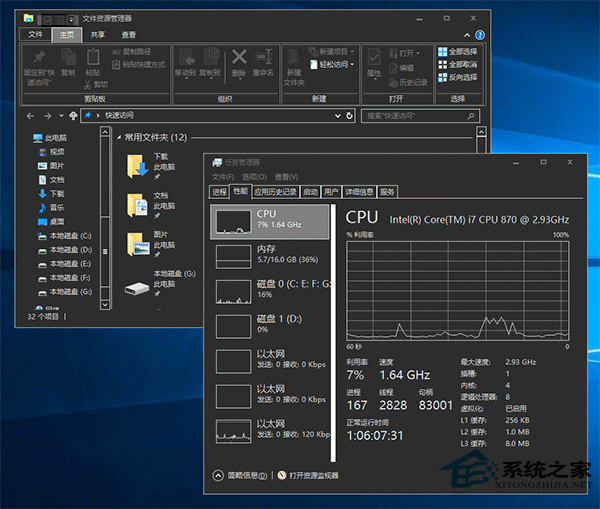
不喜歡可隨時在個人化更換主題。