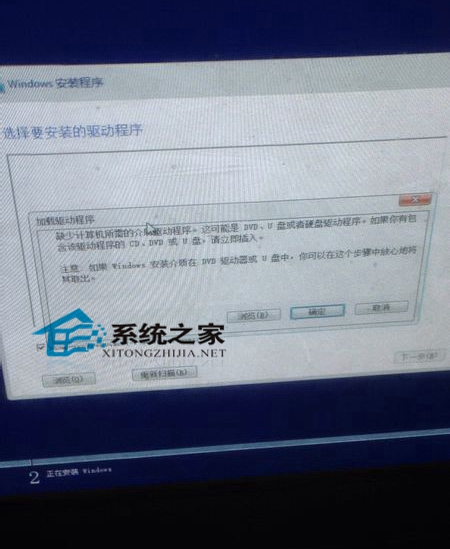
U 盤安裝 Win10 時出現「載入驅動程式」錯誤無法繼續,排查步驟:
補充:安裝至固態硬碟需透過 UEFI 模式,須在 BIOS 調整啟動項。不想折騰者建議先在 VMware 虛擬機體驗 Win10。
360 一鍵免費升級 Win10 正版教學:自動修復漏洞補全驅動,拎包入住
Win10 F 槽自動產生 Sandbox 空資料夾怎麼徹底清除?安全模式刪除 + 移除 Sandbox 軟體
Win10 關閉觸控鍵盤按鍵音:設定→裝置→滑鼠和觸控板→關閉「輸入時播放按鍵音」
Windows 10 預覽版 10122 常見問題與解決方案彙整
微軟日本推出 Windows 10 娘化角色「Windows 10 娘」 青衣呆萌少女人設曝光
Win10 設定無法開啟解決方案:微軟官方緊急修復工具掃描診斷自動修復 Issue 67758
如何更換 Windows 10 Cortana(小娜)預設圓環圖示?
Win10 修改預設應用程式:設定→應用程式→預設應用程式→依類型/協定/檔案類型指定