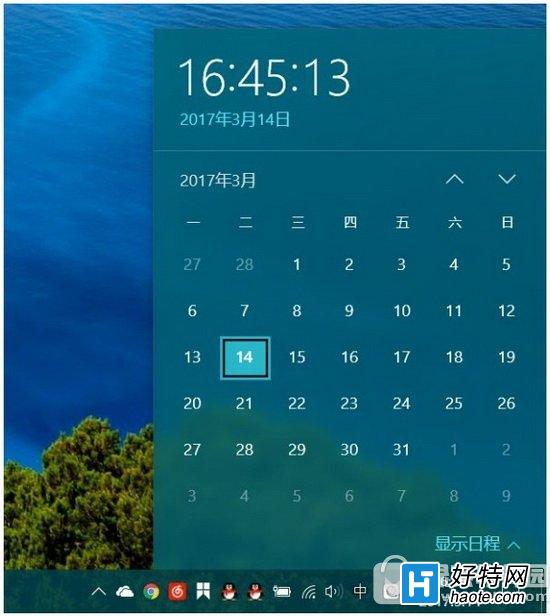
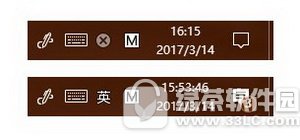
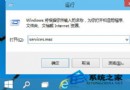
Win10 任務列時鐘預設僅顯示時分,若要直接顯示秒數:
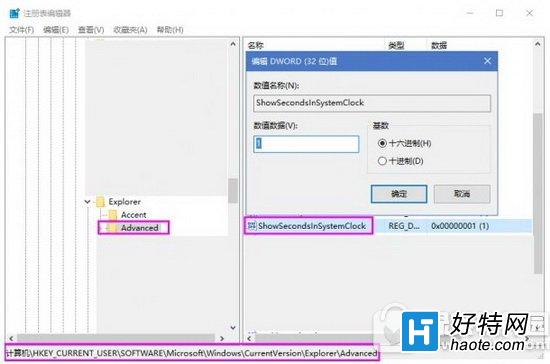
regedit
HKEY_CURRENT_USER\SOFTWARE\Microsoft\Windows\CurrentVersion\Explorer\Advanced
DWORD (32-bit) 值
ShowSecondsInSystemClock
1
若要恢復預設,將數值改為 0 或刪除該值。
0
Win10 安裝 SolidWorks (SW) 反覆提示「需重新開機」?兩階段離線安裝法破解迴圈
Win10 修改磁碟機代號(盤符):磁碟管理→右鍵磁碟區→變更磁碟機代號和路徑
Win10 任務列顏色自訂完整教學:擺脫預設黑色主題
Lumia 950 XL 攝影實測:2000 萬畫素 PureView、三色溫閃光燈、4K 錄影旗艦級表現
Win10 取消開機自動彈出 MSN 中文網:登錄表修改 EnableActiveProbing
Win10 不小心移除 Microsoft Store 應用商店?三種恢復方法找回
Win10 正式版筆電續航力縮短?關閉背景應用程式、優化 Metro 暫停機制延長電池壽命
Win10 筆電工作列不顯示電池/電源圖示?兩法修復:重新啟用電池驅動 或 開啟系統圖示開關