Windows XP Windows 7 Windows 2003 Windows Vista Windows 綜合教學 Linux 系統教學
Windows 10 Windows 8 Windows 2008 Windows NT Windows Server 電腦軟體教學

Win10 開啟記事本的 5 種方法:右鍵選單、執行命令、搜尋、開始選單、命令提示字元

編輯:Win10 系統應用技巧

記事本是 Windows 最基礎的文字編輯工具,Win10 提供多種快速啟動管道:

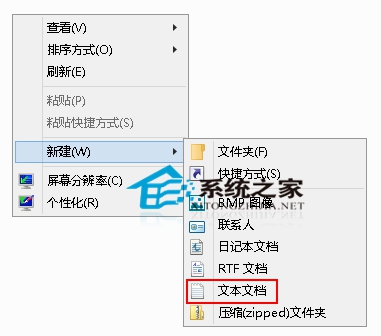
方法一:右鍵新建文字文件

資源管理器或桌面空白處右鍵 →「新增」→「文字文件」。

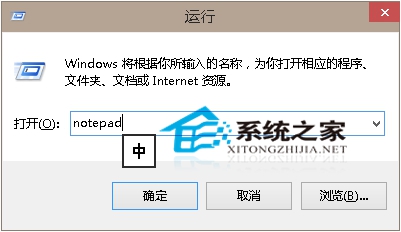
方法二:執行命令

Win+R → 輸入 notepad 或 notepad.exe → Enter。

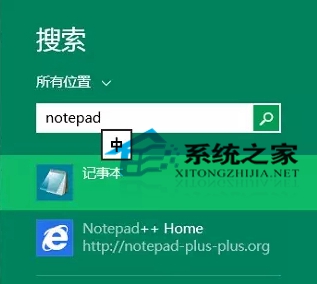
方法三:搜尋啟動

Win+Q(或點擊搜尋圖示) → 輸入 notepad → 點擊結果。

方法四:開始選單所有應用程式

「開始」→「所有應用程式」→「Windows 附屬應用程式」→「記事本」。

方法五:命令提示字元 / PowerShell

在 CMD 或 PowerShell 中直接輸入 notepad 執行。
右鍵新建文字文件
執行命令
搜尋啟動

熟悉多種啟動方式,可在不同情境下最快呼叫記事本。

Copyright © Windows教程網 All Rights Reserved