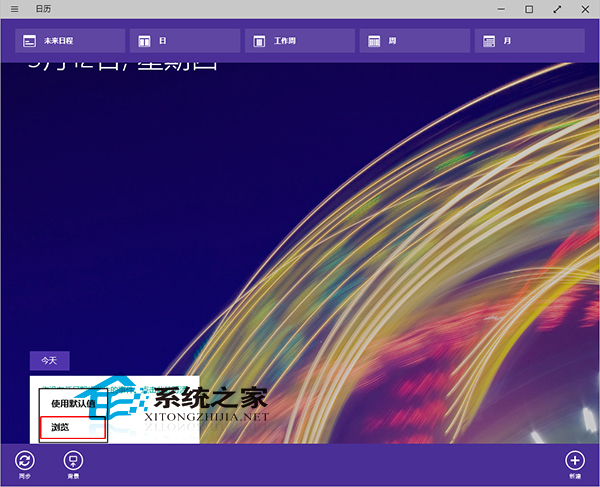
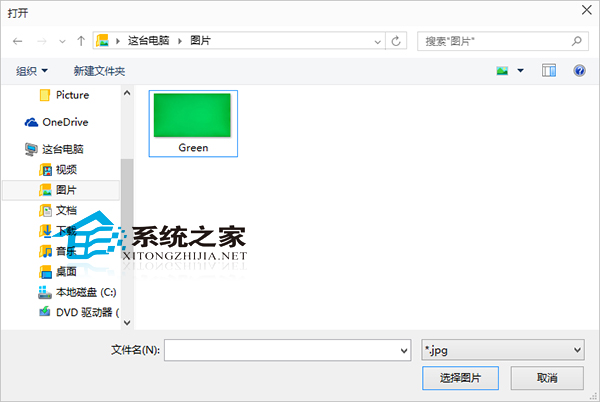
Windows 10 「行事曆」應用預設背景單調,支援自訂背景圖片,讓日程管理介面更具個人風格。
補充:若不需要訂閱行事曆 (節假日、體育賽程、星座運勢等),可在設定中取消訂閱,淨化介面。
Windows 10 升級 10158 出現 0x80072EE2?伺服器無回應→更換 DNS 修復
Win10 調出桌面圖示 (這台電腦/網路/控制台):個人化主題設定桌面圖示勾選
Windows 10 禁止快速存取顯示最近使用檔案的隱私設定
Microsoft Edge:徹斷 IE 遺產的現代化瀏覽器引擎
Win10 工作檢視快捷鍵速查:虛擬桌面、視窗貼靠、切換熱鍵彙整
Windows 10 開啟控制台兩大絕招:搜尋與執行指令
更換 Win10 小娜 圖示:筆記本 → 設定 → 形象更換 (圓圈/麵團切換)
Win10 截圖技巧大全:從 Surface 學來的 6 種原生截圖法(PC 通用)