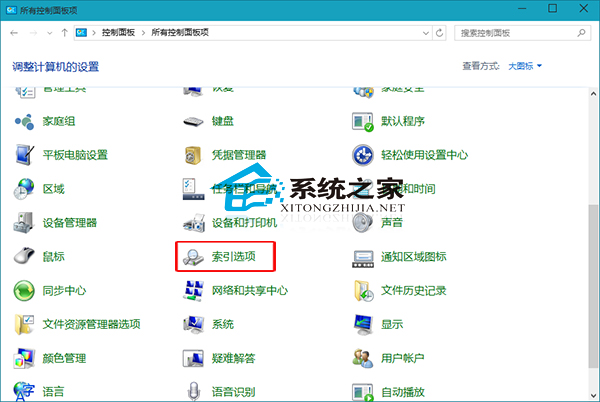
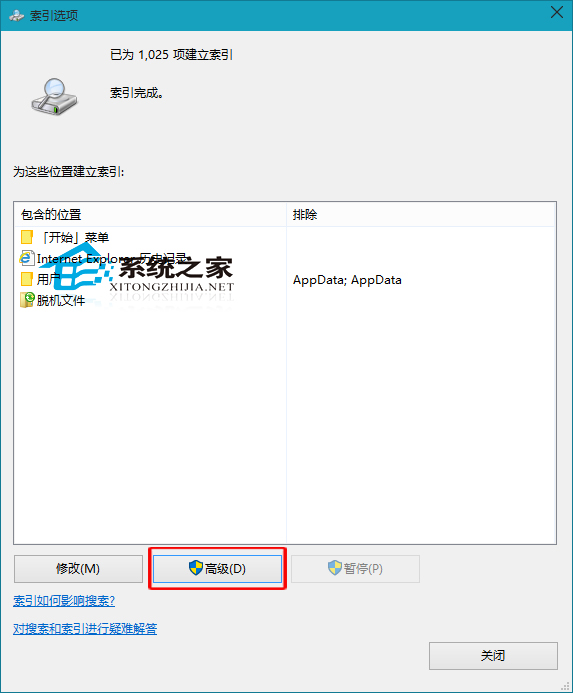
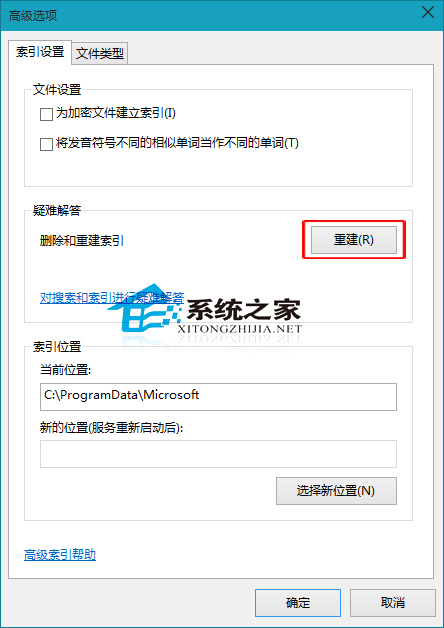
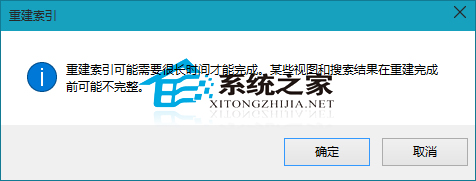
建立索引可大幅加快本地檔案搜尋速度。Windows 10 如何刪除與重建索引?
不使用 Windows 搜尋功能者,索引重要性較低,了解即可。
升級 Win10 後惠普印表機無法使用?官方三步驟:移除舊驅動、重裝新驅動、重啟裝置
Windows 10 開啟「執行」視窗的四種方法:最快只需一個熱鍵
加入 Win10 Insider 計畫完整教學:微軟帳號註冊、隱私協議、快速/慢速通道選擇
Windows 10 Microsoft 線上帳號與本機帳號雙向切換完整教學
Windows 10 連線到工作區(公司/學校帳戶)的設定教學
Win10 右鍵「傳送到」缺少「桌面捷徑」?用軟媒設定大師一鍵加回
Win10 9879 版 Steam 遊戲當機解決方案:批次檔重啟 Steam 服務
Windows 10 網路延遲過高?關閉定位服務 Wi-Fi 掃描可改善