Windows XP Windows 7 Windows 2003 Windows Vista Windows 綜合教學 Linux 系統教學
Windows 10 Windows 8 Windows 2008 Windows NT Windows Server 電腦軟體教學

Win10 9879 版 Steam 遊戲當機解決方案:批次檔重啟 Steam 服務

編輯:Win10 系統應用技巧

Win10 9879 建置版中,許多玩家回報 Steam 每 20–25 分鐘當機一次。微軟建議以 Win8 相容模式執行或等待顯卡驅動更新,但玩家自行發現:遊戲啟動前先重啟 Steam Client Service 即可繞過問題。

建立批次檔自動重啟服務

  1. 新建文字文件,貼上以下指令:
net stop "Steam Client Service"
net start "Steam Client Service"
timeout 900
steamrestart.bat
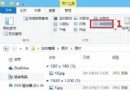
  1. 另存為 steamrestart.bat(若不見副檔名,請在資料夾選項取消「隱藏已知檔案類型副檔名」)。

Steam 當機錯誤畫面

  1. 每次啟動遊戲前,先以系統管理員身分執行此批次檔,即可暫時解決當機問題。

微軟承諾該問題將在後續更新修正,正式版釋出前請持續關注 Windows Update。

Copyright © Windows教程網 All Rights Reserved