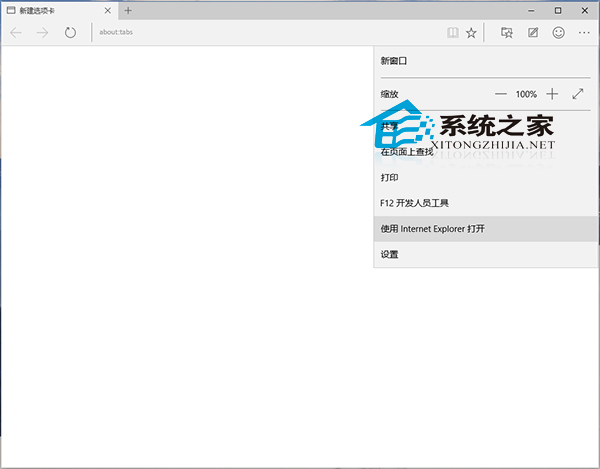
Windows 10 同時內建 Microsoft Edge (舊稱 Spartan/斯巴達) 與 Internet Explorer 11。Edge 為現代瀏覽器,部分舊版網站/企業系統需 IE 相容模式。Edge 提供一鍵「使用 Internet Explorer 開啟」功能。
此功能對需臨時相容舊版 ActiveX、舊版 CSS/JS 的企業內部系統、銀行網銀等極為實用。Edge 另具網頁批註、閱讀模式、Cortana 整合等新功能,詳見《Win10 Edge 瀏覽器功能詳解》。
Win10 安全中心服務無法啟動?三大核心服務連動修復法
Win10 PowerShell 重置應用程式失效?DISM 指令修復元件儲存區
Win10 Windows Defender 手動掃描病毒:控制台開啟並執行快速/完整掃描
Win10 如何讓小娜語音關機?
Win10 Edge 瀏覽器卡頓?開啟三個實驗性標誌提升流暢度
Win10 任務列當機怎麼辦?快速修復教學與解決方案
Win10 禁止背景應用程式執行:釋放記憶體、降低 CPU 佔用、延長續航力
Win10 9926 應用商店「您的國家/地區無法使用」:改區域為美國或用綠色圖示商店