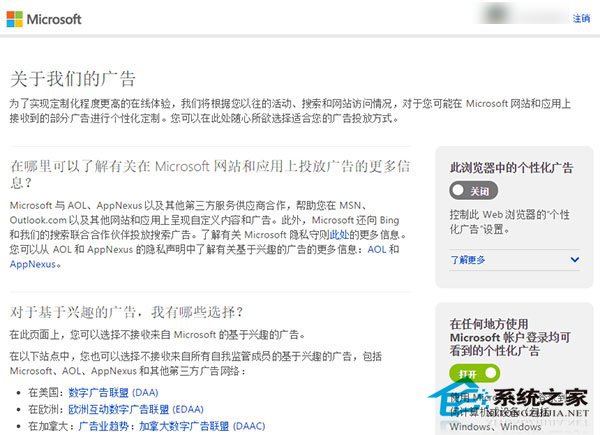
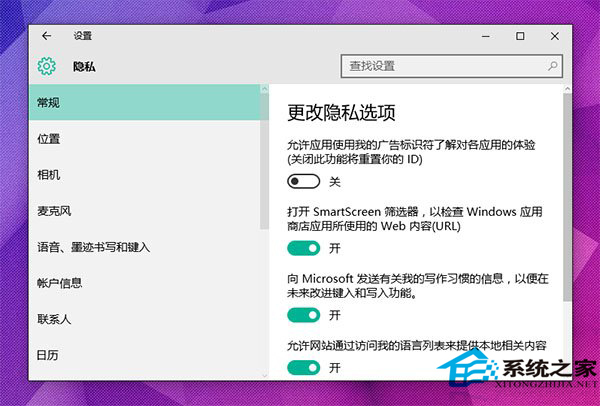
Win10 內建個人化廣告可透過兩處關閉:
微軟廣告頁面: • 基於 Cookie 的廣告 → 直接關閉。 • 基於 Microsoft 帳戶的廣告 → 登入帳戶後關閉。
網頁廣告建議搭配第三方攔截擴充功能使用。
Win10 10074 關閉 Cortana (小娜) 語音助手完整設定教學
Win10 定位功能灰色無法開啟?啟用 Geolocation Service 服務
「永恆之石」病毒(EternalRocks)威脅分析與查殺防護指南
Win10 移除桌面浮水印工具:My WCP Watermark Editor 一鍵去除/恢復版本資訊水印
修改 Win10 新建資料夾/檔案預設命名規則(註冊表法)
Win10 開啟內建行動熱點 (Wi-Fi 熱點) 分享網路:三步驟設定 SSID 與密碼
Win10 將應用安裝至非系統磁碟教學:設定儲存位置至 D 槽、外接硬碟或隨身碟
Win10 執行程式提示缺少 MSVCP110.dll 解決:安裝 VC++ 2012 可轉散發套件