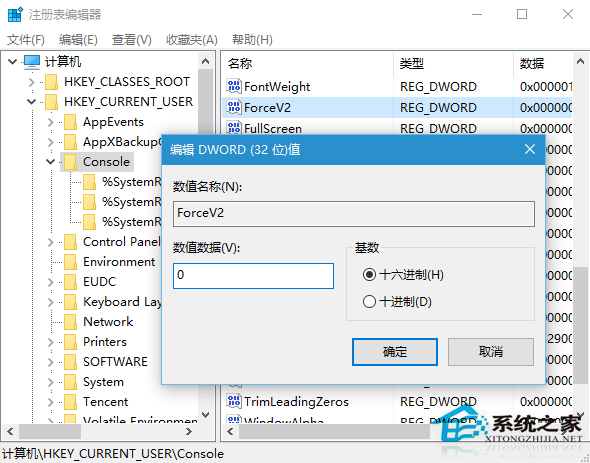
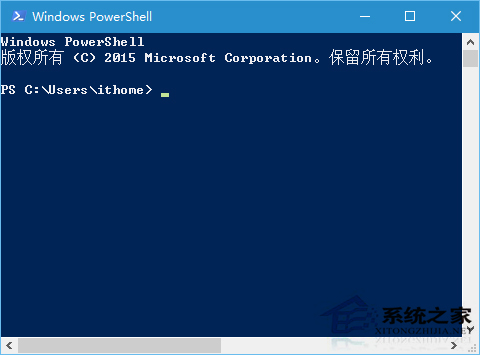
RedStone 預覽版 PowerShell 打不開或無回應,修改登錄可修復:
regedit
HKEY_CURRENT_USER\Console
ForceV2
微軟已確認此 Bug,後續更新將修復。
Win10 限制使用者關機操作:群組原則與註冊表雙法防止誤關機、保護重要任務
Windows 10 開始選單移除不需要的應用程式圖示:刪除捷徑檔案法
安裝 Win 10 跳過 Microsoft 帳號登入:建立本機帳號兩步走
Win10 設定固定 IP 與 DNS:控制台網路共用中心配置介面卡屬性
Win10 右鍵「傳送到」缺少「桌面捷徑」?用軟媒設定大師一鍵加回
Windows 10 讓 QQ 圖示回到工作列通知區域顯示教學
Win10 關閉內建定位功能:控制台 → 位置設定 → 關閉 Windows 定位平台
如何利用 Win10 錯誤報告找到系統故障解決方案?rundll32 指令查詢修復方案