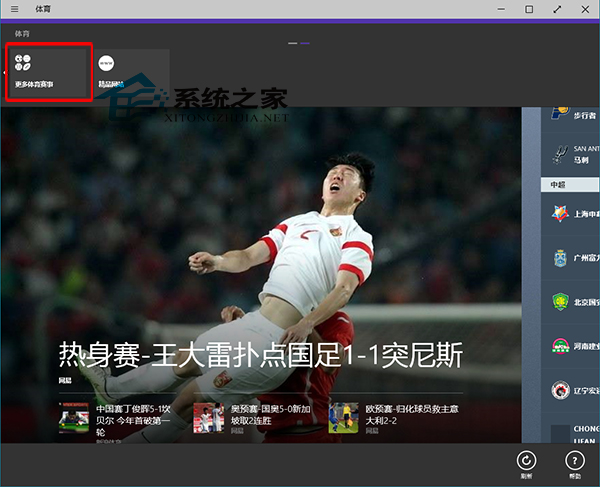
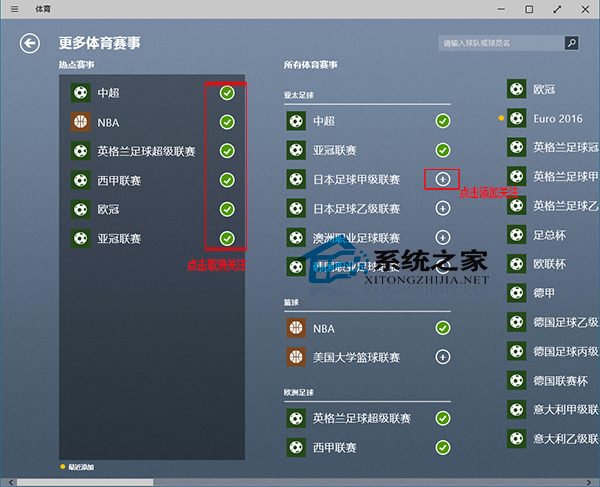
Windows 10 內建的「體育」應用能整合各大聯賽即時資訊,對習慣追蹤賽事的使用者相當貼心。不過,預設關注的項目不一定符合個人喜好,以下教您如何調整關注清單。
進階技巧:若 Modern 應用(如體育、郵件、天氣等)出現閃退、無回應等異常,可嘗試使用 PowerShell 重設所有 Modern 應用至出廠狀態,往往能一勞永逸解決問題。
Win10 TH2 年度更新剛推送即災情頻傳:SD 卡、卡住、藍屏、滾回失敗
Win10 開機提示「cnext.exe 應用程式錯誤」解決辦法
Microsoft Edge 瀏覽器深度體驗:能否成功取代 IE 成為新一代主流?
Win10 TH2 更新 KB3124263 失敗?關閉第三方殺毒或乾淨啟動
Win10 設定寬頻自動連線:工作排程器建立開機撥號任務
Win 10 將「資源回收筒」釘選到工作列:繞道「開始選單」兩步完成
升級 Win10 正式版前必須先升 10240?官方解答:任何測試版均可直升,無需中轉
讓 Windows 10 Edge 瀏覽器運作更流暢的 3 項實驗性旗標設定