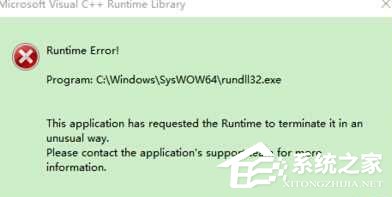
Windows 10 升級後頻繁彈出 Microsoft Visual C++ Runtime Library 錯誤 (常指向 rundll32.dll),可嘗試以下綜合排查步驟:
Microsoft Visual C++ Runtime Library
rundll32.dll
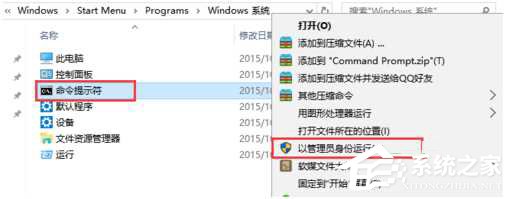
for %1 in (%windir%\system32\*.dll) do regsvr32.exe /s %1
rundll32.exe
建議依序嘗試,通常重註冊 DLL 或移除防毒軟體即可解決。
Windows 10 內建虛擬光碟機使用教學:掛載與推出 ISO 檔
Win10 如何自訂開始畫面磚塊顏色?XML 資訊清單 + CMD 重新整理快取
Win10 UWP 版微信開啟私密內測:適配 PC/Mobile,7月公測可期
Win10 新增資料夾卡死/當機?清除檔案總管歷程記錄即可解決
Win10 IP 位址衝突兩大解決方案:重啟路由器或手動設定靜態 IP 繞過 DHCP 衝突
Win10 Windows Update 下載緩慢、卡頓?重置更新服務元件加速
Windows 10 關閉 Windows Defender 即時防護:釋放系統資源
Win10 內建「疑難排解」自動修復功能完整教學:音訊、網路、印表機一鍵診斷