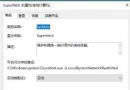
Windows 10 新增或重新命名資料夾時,檔案總管卡住甚至當機,主因為「檔案總管歷程記錄」資料庫損毀或過大。解決極簡單:
此問題常見於頻繁複製、移動大量檔案後,歷程記錄資料庫(%AppData%\Microsoft\Windows\Recent\AutomaticDestinations)出現損毀。定期清除可預防復發。
%AppData%\Microsoft\Windows\Recent\AutomaticDestinations
Win 10 十大優勢功能:讓你愛上最新作業系統
Win10 語言包安裝失敗?.cab 離線安裝法與 lpkcsetup 完整教學
Win10 Modern 介面開啟高對比度模式:輕松使用設定三步驟
Win10 設定語音喚醒「小娜」:開啟「嘿 Cortana」免手操作
Win10 商店應用更新錯誤 803F7000?重命名 SoftwareDistribution 或官方疑難排解工具
Win10 磁碟分區完整指南:科學規劃、安裝時分區、磁碟管理工具調整分區
Win10 開啟 WiFi 熱點報「無法啟動承載網路」?啟用虛擬網卡
Win10 相容性設定教學:程式相容性疑難排解自動偵測修復舊版應用程式