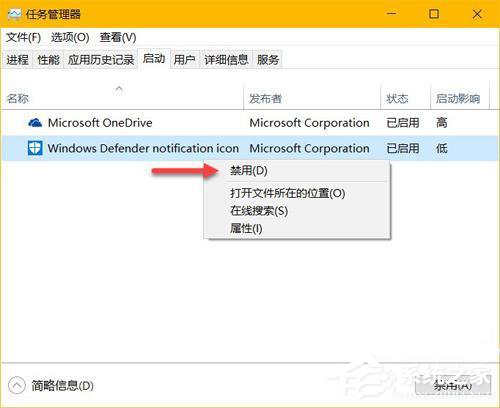
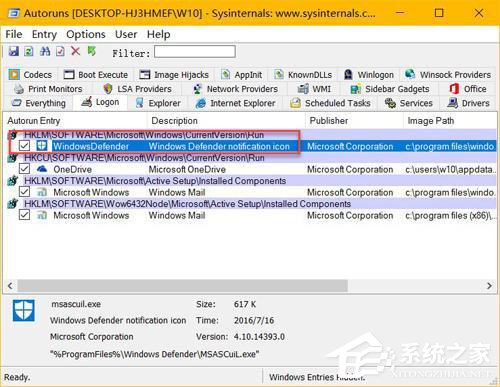
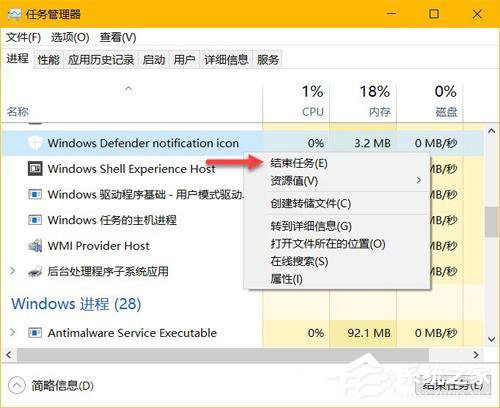
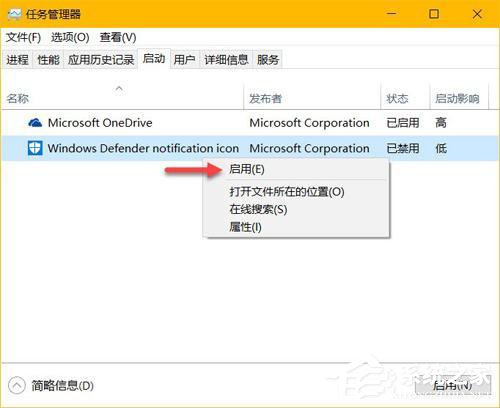
Windows 10 週年更新後,Windows Defender 圖示固定顯示在工作列通知區。若想隱藏但保持防護運作,可停用其啟動項,不影響後台掃描功能。
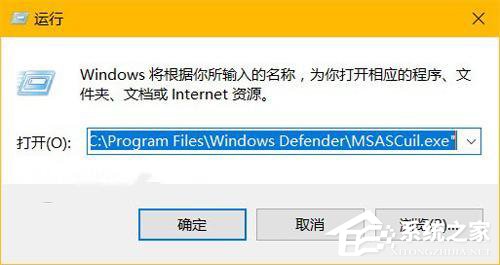
MSASCuiL.exe
C:\Program Files\Windows Defender\MSASCuiL.exe
停用圖示不會關閉 Windows Defender 防護功能。
Win10 找回 Windows 體驗指數評分:透過 shell:Games 與 winsat formal 指令重跑分數
Win10 搜尋設定找不到內容?重建 Indexed 資料夾索引修復設定搜尋
Win10 螢幕解析度不正確?調整縮放比例而非解析度
Win10 暫時停用 Cortana (小娜):右鍵工作列「搜尋」→「停用」一鍵關閉,需時再啟用
Win10 開始選單使用技巧:強大搜尋、自訂磚塊、資料夾分組
Win10 升級後聲音忽大忽小?驅動程式衝突完整解決方案
Win10 無法格式化 D 盤?取消頁面檔案、命令列格式化、安全模式或安裝介面刪除分區
Windows 10 9879 版將工作列搜尋按鈕改為搜尋列註冊表修改教學