Windows XP Windows 7 Windows 2003 Windows Vista Windows 綜合教學 Linux 系統教學
Windows 10 Windows 8 Windows 2008 Windows NT Windows Server 電腦軟體教學

Windows 10 9879 版將工作列搜尋按鈕改為搜尋列註冊表修改教學

編輯:Win10 系統應用技巧

Windows 10 9879 引入工作列搜尋列功能,預設鎖定。可透過註冊表啟用,並可在工作列右鍵選單切換顯示模式。

註冊表啟用步驟

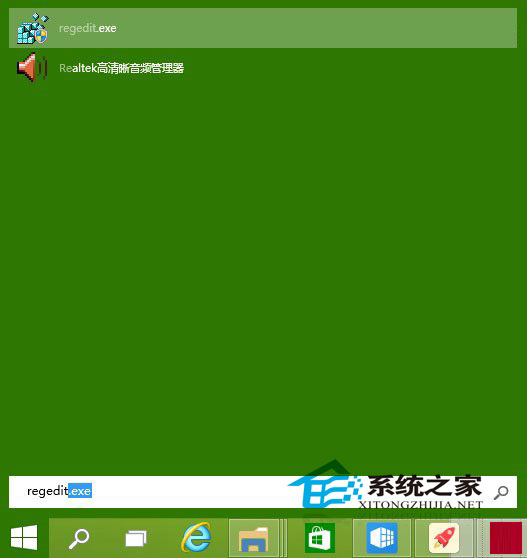
  1. Win+R 輸入 regedit 開啟註冊表編輯器。
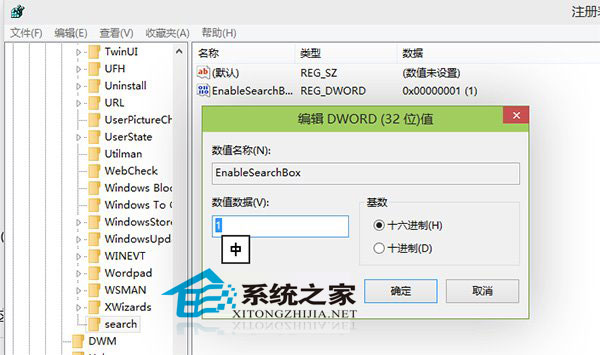
  2. 定位至:HKEY_LOCAL_MACHINE\SOFTWARE\Microsoft\Windows\CurrentVersion\Search (若無 Search 項目,在 CurrentVersion 右鍵新增)。
  3. 右鍵空白處 →「新增」→「DWORD (32 位元) 值」,命名 EnableSearchBox,數值資料設為 1。
  4. 若已存在,將數值從 0 改為 1。
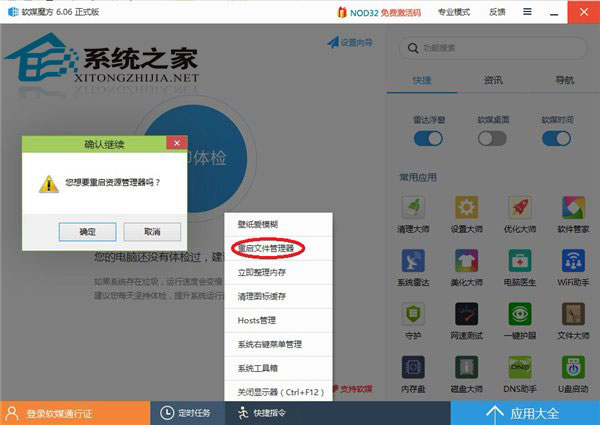
  5. 登出重新登入或重新啟動檔案總管,工作列即顯示搜尋列。

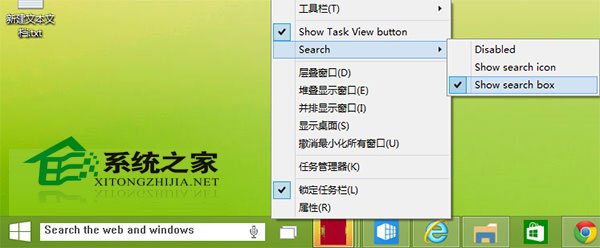
啟用後,右鍵工作列 →「搜尋」可切換「隱藏」、「顯示搜尋圖示」、「顯示搜尋方塊」三種模式。

Copyright © Windows教程網 All Rights Reserved