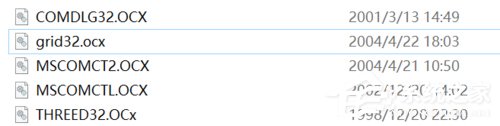
Windows 10 執行 JADE 6.5 出現「Run-time error '339':遺失 MSCOMCTL.OCX、MSCOMCT2.OCX、grid32.ocx 等」錯誤,因系統預設未註冊這些舊版 ActiveX 元件。需下載對應檔案置入系統資料夾並以 regsvr32 註冊。
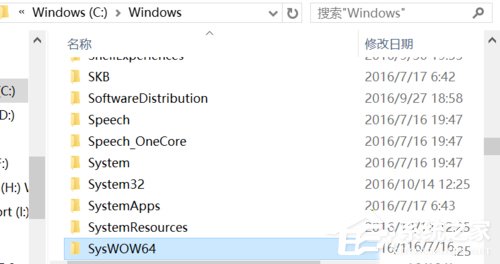
MSCOMCTL.OCX)。C:\Windows\System32 (32 位元) 與 C:\Windows\SysWOW64 (64 位元系統需雙放)。regsvr32 MSCOMCTL.OCX (依序註冊所有缺失檔)。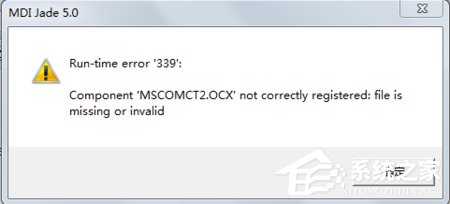
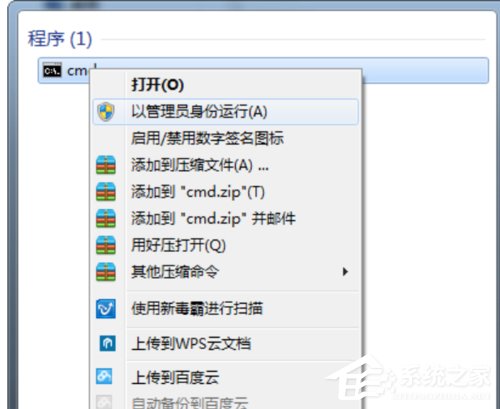
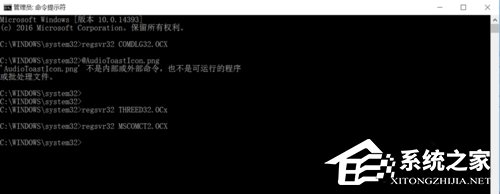
注意:註冊指令必須在系統管理員權限下執行,否則會失敗。
Win10 開啟 Windows 系統評估工具 (Winsat) 進行效能基準測試
Windows 10 Mobile 10136 預覽版推送:Fast Ring 用戶可升級,但 Bug 眾多需耐心等待
Windows 10 正式版新功能前瞻:觸控操作、IE11、雲端同步、DirectX 12、Office 2015
Windows 10 設定工作列按鈕「工作列滿時合併」:還原 XP/Win7 經典標籤體驗
Win10 註冊表編輯器新功能:右鍵「Go to」同名項跳轉,編輯效率大增
Win10 自訂同名檔案重新命名規則(註冊表 CopyNameTemplate)