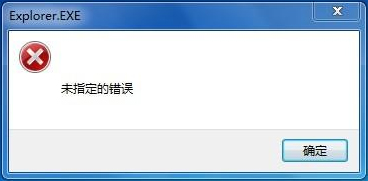
Windows 10 開啟雲端同步資料夾 (如 OneDrive、Google Drive 等) 時跳出「Explorer.EXE:未指定的錯誤」,通常是登錄檔中資料夾殼層延伸模組的 DelegateExecute 值遺失。將以下內容存為 fix_cloud.reg 匯入即可修復。
Windows Registry Editor Version 5.00

[HKEY_CLASSES_ROOT\Folder\shell\explore\command]
"DelegateExecute"="{11dbb47c-a525-400b-9e80-a54615a090c0}"

[HKEY_CLASSES_ROOT\Folder\shell\opennewprocess\command]
"DelegateExecute"="{11dbb47c-a525-400b-9e80-a54615a090c0}"

[HKEY_CLASSES_ROOT\Folder\shell\opennewwindow\command]
"DelegateExecute"="{11dbb47c-a525-400b-9e80-a54615a090c0}"匯入後重新開機或重新啟動 explorer.exe 即可生效。