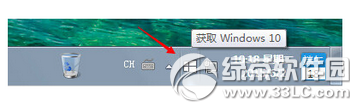
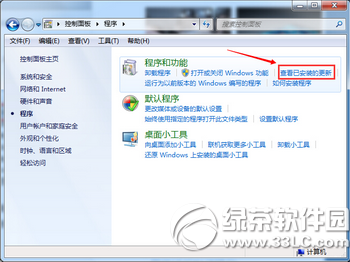
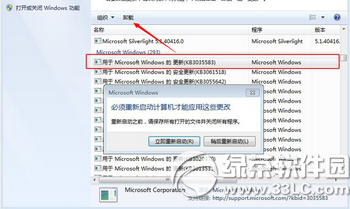
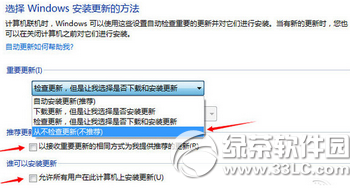
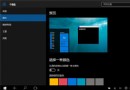
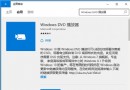
針對無法關閉的升級提示,提供三種關閉方案:
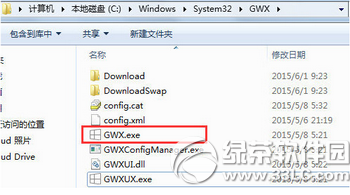
C:\Windows\System32\GWX
GWX.exe
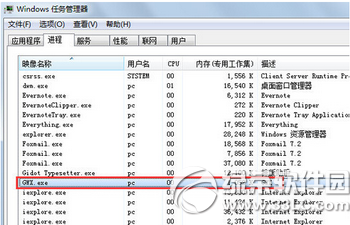
工作管理員 → 找到 GWX.exe → 結束工作,任務列圖示立即消失(重開機後會復活)。
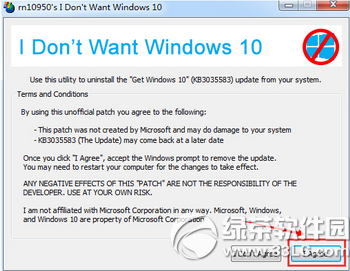
使用 I Don't Want Windows 10 小工具自動移除 KB3035583,重開機後提示消失。
聖誕老人在哪?Win10 Cortana + Edge + 必應地圖 + Azure 雲端即時追蹤,微軟聯手 NORAD 打造節日體驗
Win10 開啟雲端硬碟出現「未指定的錯誤」?匯入登錄檔修復 Explorer 指令
Win10 WinRAR 右鍵選單項目過多太長?勾選「階層式右鍵關聯選單」合併為單一子選單
Win10 專業版永久啟用:數位授權 (HWID) 激活教學
Win10 防火牆關閉通知持續彈出?兩種方法徹底關閉提醒
Win10 讓資料夾圖示顯示指定文字:小工具生成文字圖片置於資料夾首位利用預覽功能
Windows 10 一鍵隱藏所有桌面圖示技巧
Win10 更換鎖定畫面/登入畫面背景圖片:替換 Windows.UI.Logon.pri 系統檔完整教學