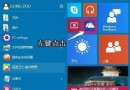
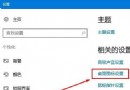
Edge 瀏覽器設定首頁的選項位置較深,許多用戶找不到。實際上在「進階設定」中即可開啟並設定首頁網址。
https://www.google.com
之後點擊 Edge 工具列的「首頁」圖示 (房子圖示) 即可直接跳轉至設定的網址。
Win10 移除桌面圖示陰影:解決字體模糊、提升視覺清晰度
Win10 開機預設開啟數字小鍵盤:登錄 InitialKeyboardIndicators 改為 2
Win10 配置要求高嗎?官方最低硬體規格完整列表
Win10 通知與動作中心訊息管理:暫時隱藏 vs 徹底關閉應用通知
Win10 內建秒錶功能在哪?透過「鬧鐘與時鐘」應用程式使用
Windows 10 建立與編輯聯絡人並同步至多裝置
macOS vs Windows 深度對比:價格、體驗、生態系誰更勝一籌?
Win10 應用商店下載的應用安裝在哪裡?預設路徑 C:\Program Files\WindowsApps(隱藏資料夾)