Windows XP Windows 7 Windows 2003 Windows Vista Windows 綜合教學 Linux 系統教學
Windows 10 Windows 8 Windows 2008 Windows NT Windows Server 電腦軟體教學

Win10 移除 Modern 應用後圖示殘留?重新啟動檔案總管(Ctrl+Shift 右鍵開始列→結束總管,再以管理員身分執行 Explorer.exe)

編輯:Win10 系統應用技巧

解除安裝 Modern 應用後,開始選單有時仍殘留應用圖示。重新啟動檔案總管進程即可清除殘留圖示。

快速重啟檔案總管

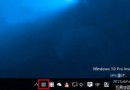
  1. 按住 Ctrl+Shift 並在工作列「開始」按鈕上右鍵,選擇「結束檔案總管」(工作列與桌面圖示會暫時消失)。
  2. 按 Ctrl+Shift+Esc 開啟「工作管理員」。
  3. 點選「檔案」→「執行新工作」。
  4. 輸入 Explorer.exe,勾選「以系統管理員權限建立此工作」,按 Enter 或點擊「確定」。
  5. 檔案總管重啟完成,殘留圖示即消失。

此技巧適用於各類導致開始選單圖示異常的情況。

Copyright © Windows教程網 All Rights Reserved