部分用戶在更新安裝 Win10 時遇到錯誤代碼 80200056,更新進度條不顯示且最終安裝失敗。針對此問題,提供三種解決方案供參考。
方案一:啟用相關系統服務
- 按 Win+R 輸入
services.msc 開啟服務管理員。
- 雙擊「Windows Update」,將啟動類型設為「自動」或「手動」,並點擊「啟動」。
- 同樣啟用以下四項服務:Background Intelligent Transfer Service、Cryptographic Services、Windows Installer、Software Licensing Service。
- 再次嘗試檢查更新。
方案二:重命名 SoftwareDistribution 資料夾
- 同樣開啟
services.msc,停用「Windows Update」服務並將啟動類型改為「停用」。
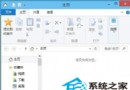
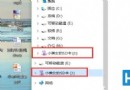
- 開啟檔案總管,將
C:\Windows\SoftwareDistribution 重命名為 SDfolder。
- 重新啟用「Windows Update」服務,再次檢查更新。
方案三:不保留檔案重新安裝
先備份重要資料,選擇「不保留任何項目」的方式重新安裝 Win10,通常能徹底解決更新卡住問題。
若仍無法解決,建議尋求專業技術支援或在社群討論尋找更多方案。