Windows XP Windows 7 Windows 2003 Windows Vista Windows 綜合教學 Linux 系統教學
Windows 10 Windows 8 Windows 2008 Windows NT Windows Server 電腦軟體教學

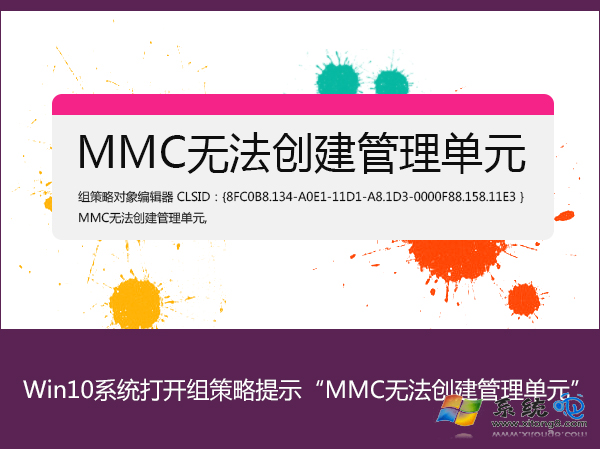
Win10 開啟群組原則提示「MMC 無法建立管理單元」修復環境變數 Path

編輯:Windows 10 系統介紹

執行 gpedit.msc 時出現「MMC 無法建立管理單元」錯誤,常見原因是系統環境變數 Path 遺失關鍵系統路徑。本文提供修復 Path 變數的標準值步驟。
操作步驟

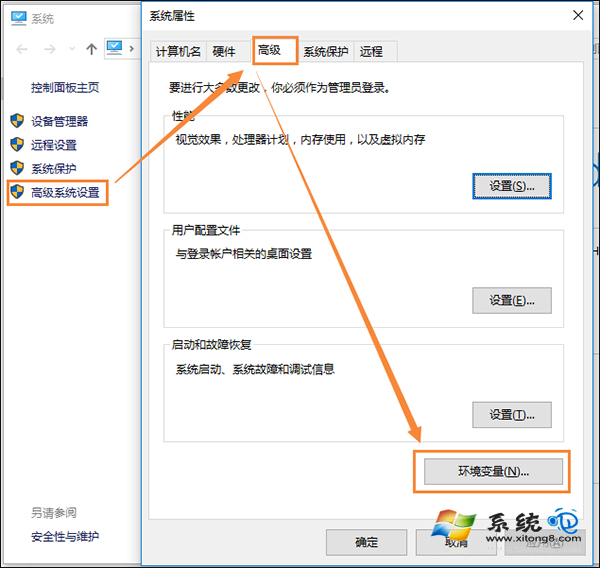
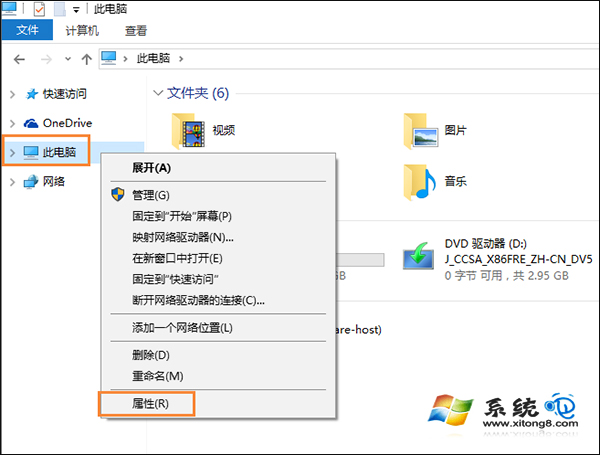
  1. 右鍵「這台電腦」→「內容」→「進階系統設定」→「進階」索引標籤 → 「環境變數」。
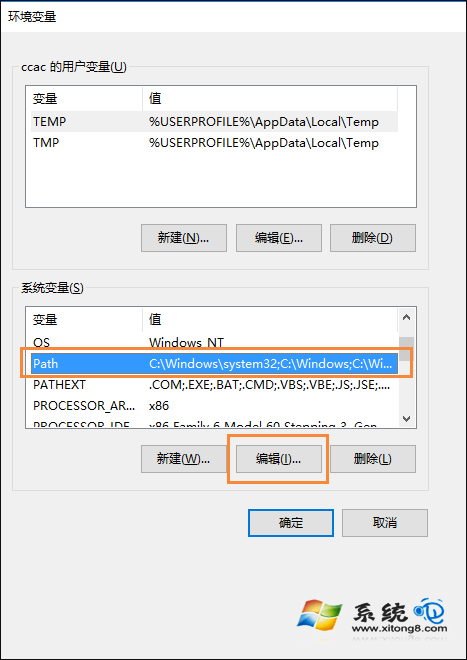
  2. 在「系統變數」區域找到 Path,雙擊編輯。
  3. 將變數值修改為以下標準路徑(每行一個):
%SystemRoot%\system32
%SystemRoot%
%SystemRoot%\System32\Wbem

若電腦安裝額外開發工具(如 MySQL、Python、Java),請在保留上述路徑基礎上,額外新增對應的 bin 目錄路徑,例如 C:\mysql5.5\bin。

修改完成後重新開機或重新登入,即可正常開啟群組原則編輯器。

Copyright © Windows教程網 All Rights Reserved