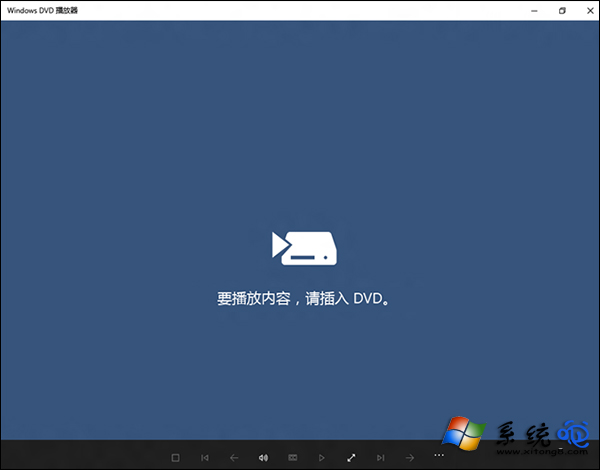
Win10 移除內建 DVD 播放功能後,Microsoft Store 推出「Windows DVD Player」應用,但仍存諸多已知問題。以下整理官方回應的六大常見狀況與對策。
問題與對策
- 影片播放不流暢或無法播放 → 更新顯示卡驅動程式。
- 更換光碟後播放器不播放新內容 → 重新啟動 DVD 播放器應用程式。
- 播放器偵測不到 DVD 光碟 → 關閉播放器 → 重新放入光碟 → 再次開啟播放器。
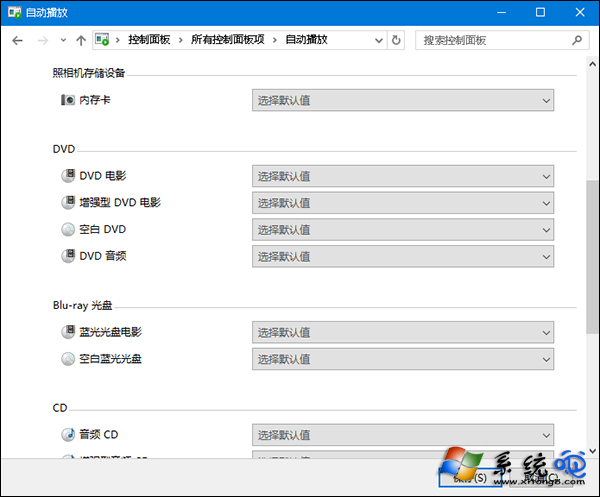
- 放入光碟卻自動開啟 Microsoft Store → 修改自動播放設定:
Cortana 搜尋「自動播放」 → 找到 4 項 DVD 相關選項 → 全部設為「Play DVD (Windows DVD Player)」 → 儲存。
- 音訊不使用 Dolby Digital Plus 5.1 → 微軟尚未修復,部分用戶反映 Windows Update 後改善,持續關注更新。
- HDMI 連接外接螢幕後 DVD 播放失敗 → 微軟尚未修復,相關用戶持續關注 Windows Update。
Windows DVD Player 尚在完善中,遇到上述問題請依對應方案處理;第 5、6 點屬已知限制,唯有等待官方更新修復。