隨著 OS X Yosemite 釋出,Apple 正式上線 iCloud Drive 雲端硬碟服務。Windows 10 用戶同樣可透過瀏覽器或檔案總管存取,實現跨平台檔案同步。
核心功能與限制
- 支援任意檔案格式:不再限定 iWork 文件,任何副檔名皆可上傳管理。
- 單檔案大小上限:15 GB。
- Windows 端存取方式:
- 瀏覽器:Safari 6+、Firefox 22+、Chrome 28+、Edge
- 檔案總管:可直接拖曳檔案至 iCloud Drive 資料夾(需安裝 iCloud for Windows)
- 瀏覽器書籤同步:支援 IE、Firefox、Chrome 書籤雙向同步。
- 相容系統:Windows 7 / 8 / 8.1 / 10。
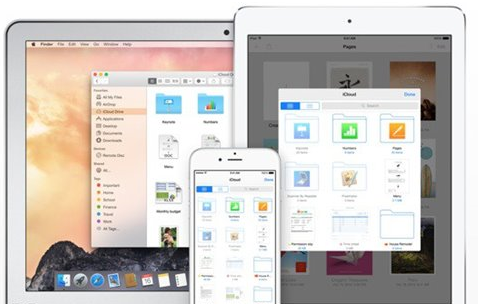
行動端現況
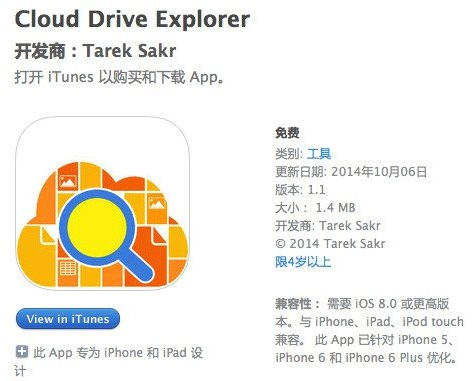
Apple 尚未發布 iCloud Drive 官方 iOS App,App Store 僅有第三方 iCloud Drive Explorer 可檢視/編輯檔案。iOS 裝置建議透過「檔案」App(iOS 11+)原生存取。
重要前提
- Mac 必須升級至 OS X Yosemite (10.10) 以上
- iPhone/iPad 必須升級至 iOS 8 以上
- 升級後無法降級回舊版 iCloud(僅同步通訊錄、備忘錄等核心資料)
建議
若你同時使用 Windows 10 與 Apple 生態系,iCloud Drive 是免費 5 GB 空間的不錯補充;若需更大空間或更完整的 Windows 整合體驗,OneDrive / Google Drive / Dropbox 仍為主流選擇。