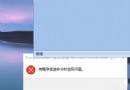
搜狗輸入法卸載後常殘留 SogouExe.exe、HWSignatureEx.dll 等檔案無法刪除,主因檔案擁有者為 TrustedInstaller 或權限不足。透過修改檔案安全性設定取得完全控制權即可強制刪除。
C:\Program Files (x86)\SogouInput)。同樣步驟套用至 HWSignatureEx.dll 等其他頑固檔案。
如何體驗 Windows 10:虛擬機與多重開機完整教學(VirtualBox 實作)
Win7 升級 Win10 後筆電電源圖示變灰色?教你快速恢復正常顯示
Win10 調整視窗標題列高度與捲軸寬度:登錄 CaptionHeight / ScrollWidth 精確控制
Win10 OneDrive 無法同步檔案?一條指令重置客戶端恢復同步功能
Win10 變更預設瀏覽器教學:設定 Chrome/Firefox 為預設
Windows 10 快速切換工作的兩種方法:工作檢視按鈕與 Win+Tab
Win10 Build 14393.51 更新修復內容:IE11 可靠性、手寫筆重置、Mobile 藍牙掛起、安全性更新