Windows 10 升級後內建 IE11,若不使用可透過系統功能選項停用(非解除安裝),操作步驟與前文 ID 23302 完全相同。
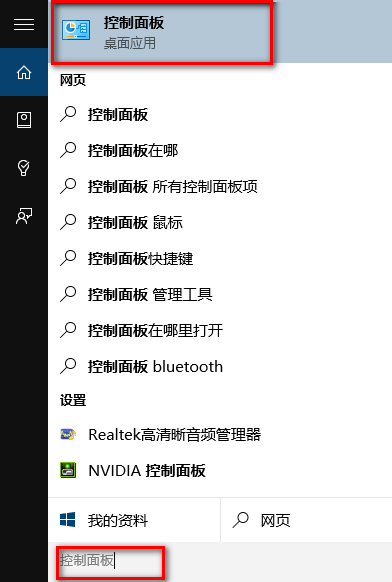
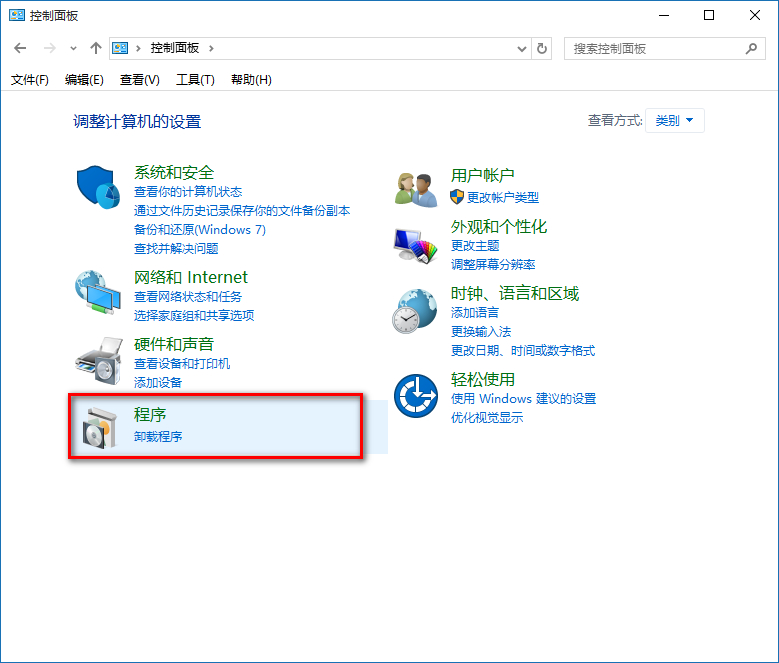
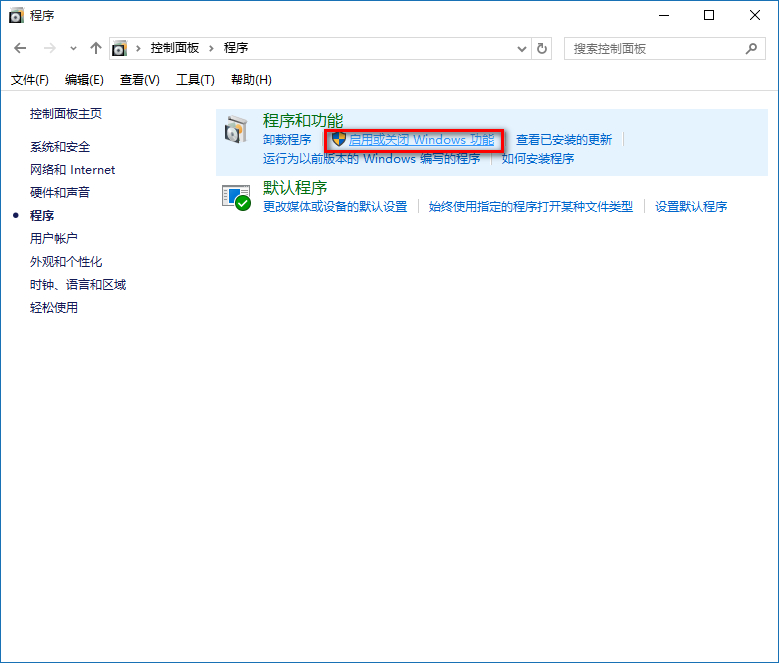
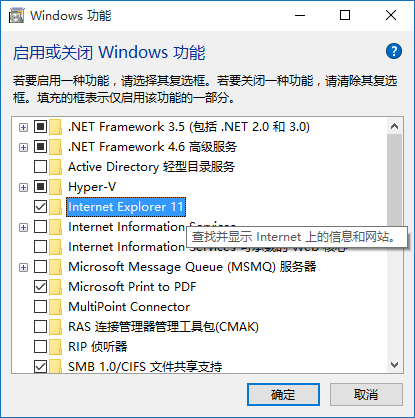
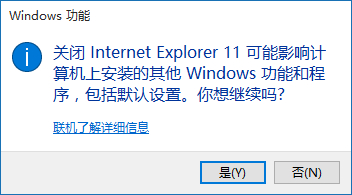
此操作僅隱藏 IE11 進入點,底層 MSHTML/Trident 引擎保留供相容性使用。如需完全移除需用 DISM 指令,但不建議一般使用者操作。
Win10 Alt+Tab 切換任務隱藏開啟視窗:登錄表新增 MultitaskingView\AltTabViewHost\wallpaper=1
Win10 Windows Defender 排除特定程序不掃描:設定 → 排除的程序 → 新增路徑
Win10 桌面「這台電腦」圖示不見了怎麼辦?個人化設定勾選桌面圖示一鍵找回
Win10 預覽版開機黑屏救援指南:進入安全模式 → 清除啟動 → 卸載衝突軟體
Windows 10 發售時間與版本價格總整理 (7 大版本、OEM 價格、新蛋洩露資訊)
Windows 10 開啟服務管理器 兩大快速法 (services.msc / Win+X)