操作邏輯與 Win 8 相同。若官方工具無法解除,可嘗試第三方工具 (如 WuMgr) 或命令列 wusa /uninstall /kb:xxxxxx。
Windows 10 硬碟佔用過高解決方案:五大優化關閉不必要系統服務釋放資源
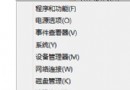
Win10 開啟控制台 4 種快速方法:Win+X、右鍵開始、執行 control、搜尋
Win10 硬碟安裝教學:軟媒魔方「硬碟裝機」工具、ISO 掛載、免 USB 乾淨安裝全過程
Win10 升級錯誤 0xc0000017 解決:BCD 清除壞記憶體標記 (bcdedit /deletevalue {badmemory} badmemorylist)
Win10 IE 瀏覽器緩存目錄遷移教程:自定義路徑便於定期清理釋放空間
Win10 觸控板手勢操作大全:三指喚出 Cortana、四指開啟動作中心、邊緣滑動切換工作檢視/通知
Win10 禁止添加 Microsoft 帳號登入:群組原則「帳戶:阻止 Microsoft 帳戶」設為「使用者無法新增」