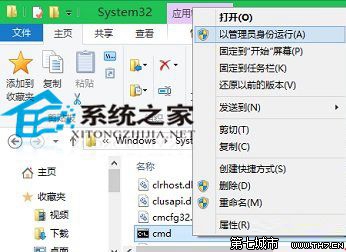
開啟 C:\Windows\System32,找到 cmd.exe 右鍵 → 「以系統管理員身分執行」。
C:\Windows\System32
cmd.exe
cmd
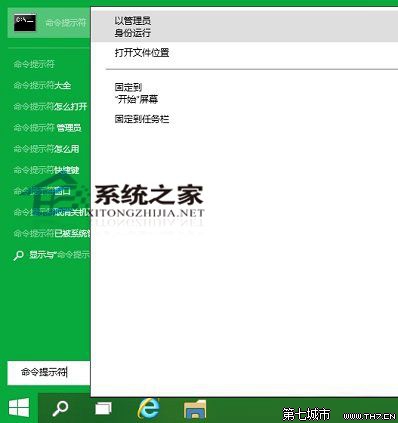
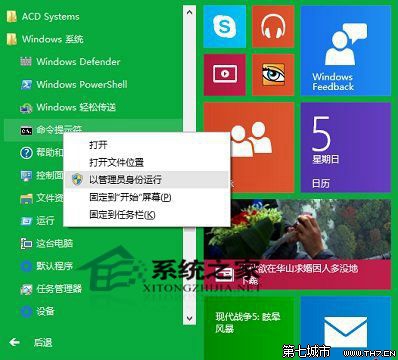
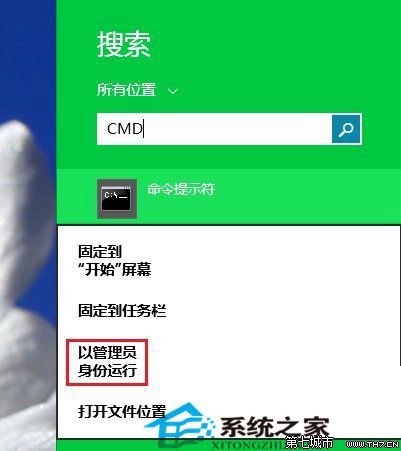
Win+C → 搜尋 cmd → 右鍵「命令提示字元」 → 「以系統管理員身分執行」。
命令提示字元在 Windows 10 仍是重要系統工具,新增支援複製貼上等功能。
Win10 安裝顯卡驅動後藍屏?進安全模式卸載驅動重裝相容版本
Win10 滑鼠靈敏度怎麼調?透過控制台滑鼠屬性精細調整指標速度
Win10 應用商店預設安裝位置 C 盤怎麼改?設定→系統→儲存體→更多儲存體設定→變更新應用儲存位置
Win10 開機失敗 0xc0000428?進入進階啟動停用驅動程式強制簽名
Windows 10 內建便利貼與 Windows 日記本使用心得
重裝 Win10 免重設:任務列釘選圖示完整備份與還原圖文教學
Win10 安全中心無法啟動?啟動 Security Center 及相依服務 RPC、WMI
Win10 禁止新安裝應用彈出「新應用程式」提示註冊表教學