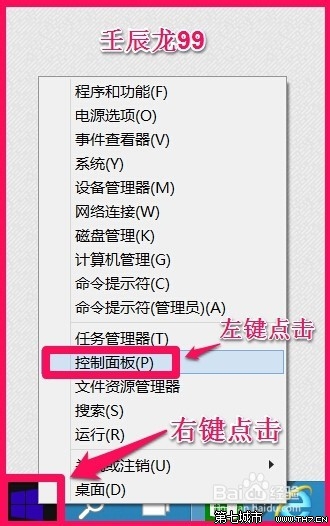
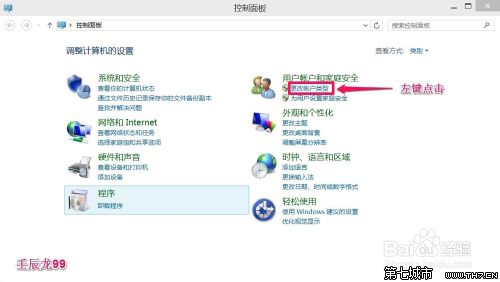
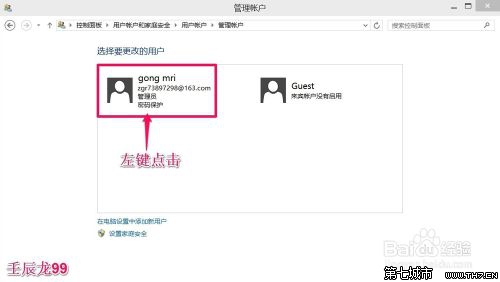
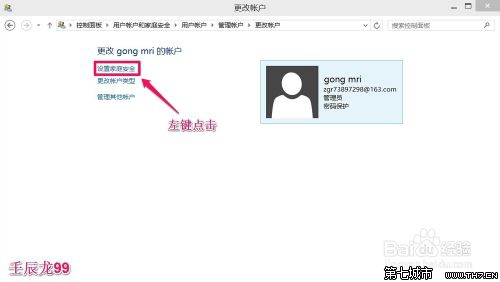
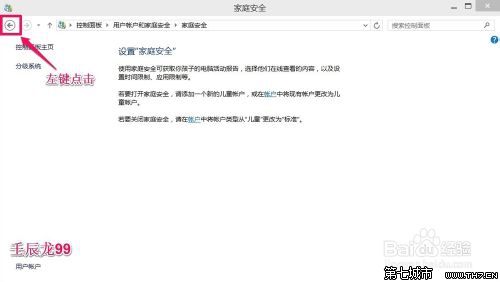
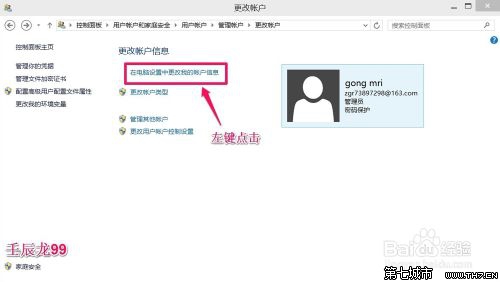
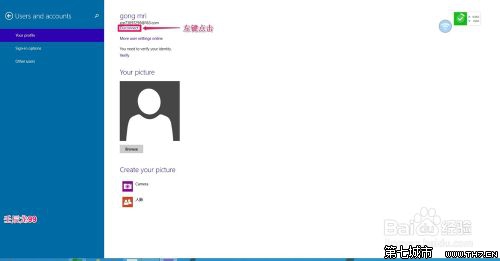
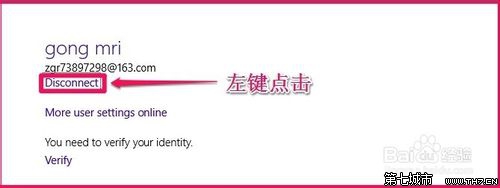
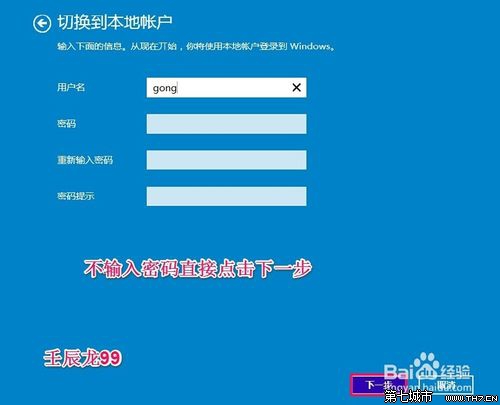
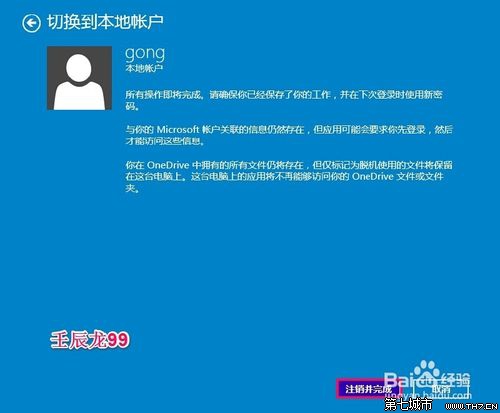
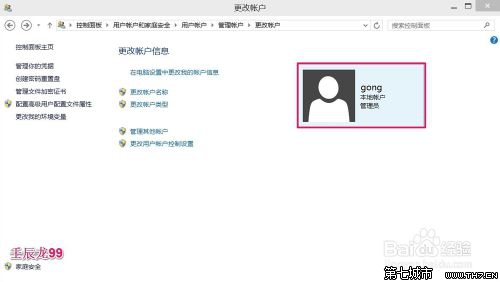
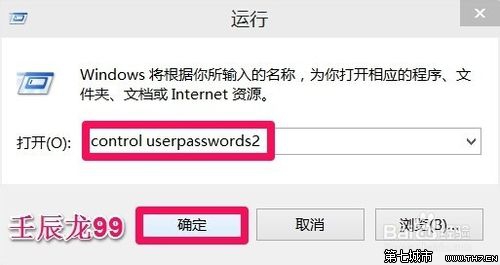
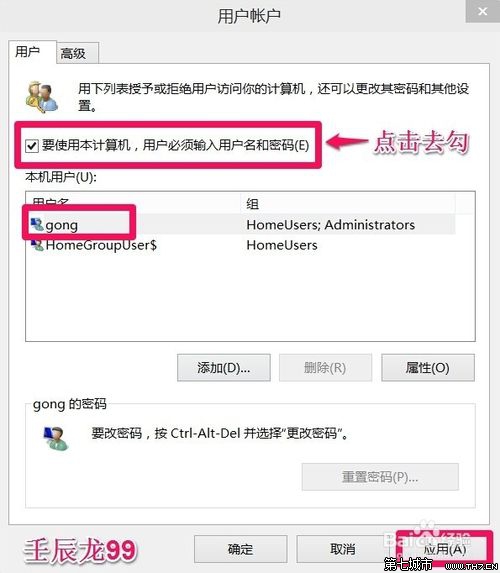
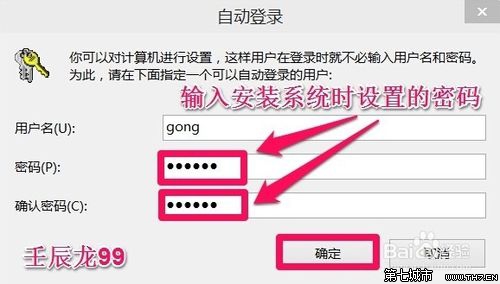
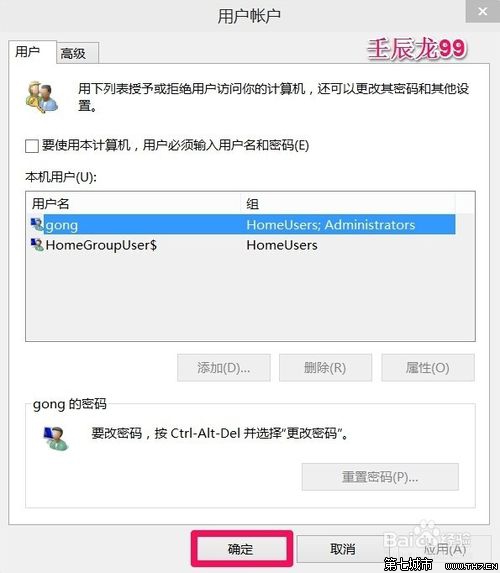
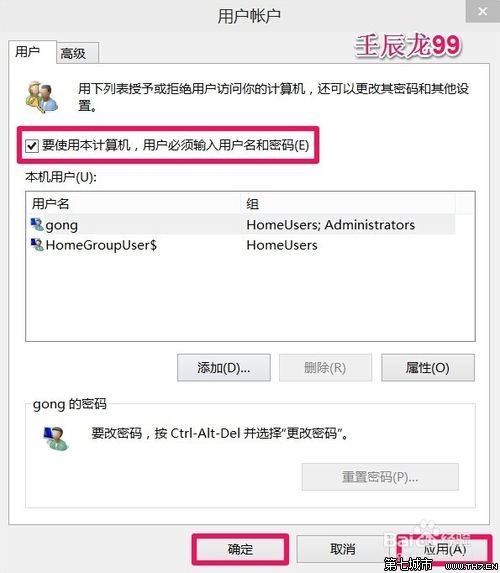
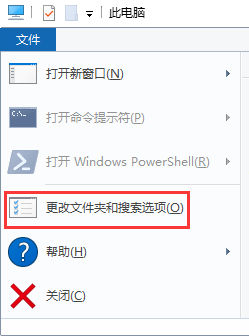
控制台 → 使用者帳戶 → 管理員 → 設定家庭安全 → 返回 → 在電腦設定中變更帳戶資訊 → 中斷連線 → 切換至本機帳戶 → 不輸入新密碼 → 登出完成。此法確實移除密碼。
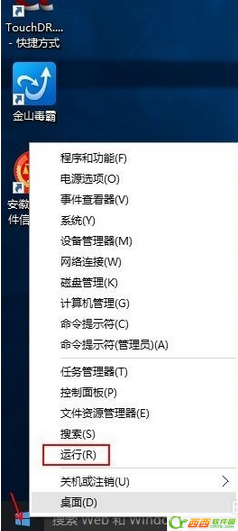
control userpasswords2
若需恢復密碼保護,重新勾選即可。
Windows 10 管理員帳戶卻無法開啟程式:註冊表啟用 FilterAdministratorToken 解決 UAC 限制
Win10 10074 開啟開始選單背景模糊效果:登錄設定 EnableBlurBehind
Win10 累積更新裝完強制重開?任務排程器停用 Reboot 任務或重命名資料夾阻擋
Win10 KB3140743 更新失敗進不了系統:安全模式移除補丁
Win10 如何啟用 Cortana(小娜)?完整設定步驟
Win10 應用程式載入失敗怎麼辦?完整解決方案與重置技巧
Win10 極限競速 6 錯誤 AP301 解決:AMD 顯卡驅動不相容,更新驅動/強制 GPU 模式/嘗試測試版驅動
Win10 檔案總管「常用資料夾」恢復初始狀態一條指令搞定