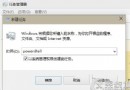
完成後可隨時在需要時重新啟用。
Win10 如何移除右鍵選單「Windows Defender 掃描」項目?刪除登錄 EPP 金鑰淨化右鍵選單
Win10 Build 10125 中文語言包安裝與亂碼問題解決
Windows 10 10240 (RTM) 激活錯誤 0xC004C003 解決方案:KMS 暫時激活與官方授權說明
Win10 內存不足提示排查:關閉冗餘程序/啟用系統管理虛擬內存緩解壓力
Win10 筆電外接螢幕擴充顯示設定完整教學
Windows 10 Build 9860 安裝卡在 18%?五大破解方案與 USB 安裝法
Win10 10240 升級 TH2 10586 正式版操作指南
升級 Windows 10 完整常見問題解答 (FAQ)